
Deduplicate
Find and remove duplicate rows. Choose which columns define a duplicate, match exactly, smartly or by similarity, and keep the first or last occurrence.
Doing it in Excel instead: How to remove duplicates in Excel
By Operelio team · Updated October 20, 2026
On this page8
What it does
Scans your file for rows that share the same values in one or more key columns, then removes the duplicates. You choose which columns to check and whether to keep the first or last occurrence of each duplicate group.
How to use it
Upload your file
Any supported format (.xlsx, .xls, or .csv), or pick one of your recent files.
Pick key columns
Match on the entire row, or choose Specific columns and add one or more that define a unique row. For example, "email" alone, or "first_name" and "last_name" together.
Choose which to keep
First (the default) or Last: which row of each duplicate group stays.
Set matching mode
Exact is on by default. Smart treats emails, phone numbers and company names that mean the same thing as the same. Similarity adds a threshold slider for catching typos. All three on every plan.
Check the preview and run
The preview shows your own rows grouped by duplicate, and updates as you change a setting. Click Remove duplicates (the button gives the count, as in Remove 12 duplicate rows). The output contains only unique rows.
What the results show
After running, the job's page shows rows in, minus the rows removed, equals rows out. The preview's Groups view counts the duplicate groups (a group is two or more rows that match on your key columns).
You also see the settings that were used: which columns Operelio matched on, which keep strategy was applied (first or last), whether case was ignored, and whether whitespace was trimmed. If you ran in similarity mode, the threshold percentage shows too.
A separate file with just the removed rows is available for download alongside your cleaned output, so you can review what was dropped before importing.
Exact, smart and similarity matching
Exact matching (available on all plans) compares the cell values themselves. With the default options it ignores capitals and spaces at the ends, so "Anna@acme.example" and "anna@acme.example" match. Turn off Ignore case and Trim whitespace below and two rows are duplicates only if the key columns match letter for letter.
Smart matching (on every plan) reads what kind of column the key is and compares the meaning. Gmail addresses match with dots and plus tags ignored, so john.doe+shop@gmail.com and johndoe@gmail.com are one mailbox. Phone numbers match whatever the punctuation, with a US or UK country code dropped, so +1 (415) 555-0123 and 415-555-0123 are one number. Company names match with suffixes like Ltd, Inc and GmbH stripped, so Westmarch Trading and Westmarch Trading Ltd are one company. Any other column is compared exactly.
Similarity matching (on every plan, including Free) uses a similarity score from 0 to 100. You set a threshold with a slider, and any two rows with a similarity score at or above that threshold are treated as duplicates. This catches typos and minor variations like "Jon Smith" vs. "John Smith". The score measures how many character edits separate the two values, so closer values score higher.
The default threshold is 80, which works well for matching contact names. Go higher (90+) if you want to be more conservative and only catch very close matches. Go lower (70) for more aggressive matching that catches bigger variations.
Matching options
| Option | Default | What it does |
|---|---|---|
| Ignore case | On | Treats "WESTMARCH" and "westmarch" as the same value. |
| Trim whitespace | On | Strips leading and trailing spaces before comparing. |
| Match on: Entire row | Default | Compares every column. Switch to Specific columns to match on a subset (for example, email only). |
| Skip blank emails | On, for an email key | Two rows with no usable email address are different people unless every other column matches too. On another key it reads Skip blank values. Not shown under a full-row match, or under similarity, which always matches email addresses exactly and never matches a blank one. |
Duplicates export
On every plan, Operelio writes a second file containing just the rows that were removed. This lets you review what was dropped without re-running the job. If no duplicates were found, no extra file is created.
Run it automatically with a trail
Once the settings are right for the files you get every week, a trail can run them for you. A trail watches a folder and removes the duplicates, with the same match settings you chose here, on every file that lands there, then pushes the result into HubSpot, Salesforce or Pipedrive, with nine always-on safety checks, two more you set, and approval built in. Set it up once and the cleanup, the verification, the lead routing and the CRM import are automated from then on.
Trails run on Starter and above.
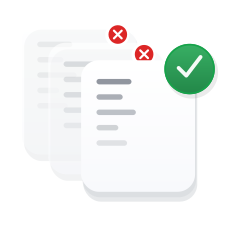
Choose the columns that define a duplicate, then keep the first or the last of each group.
Related
Frequently asked questions
What if I want to match on every column?
Pick "Entire row". That's the default. It compares all columns. With exact matching, two rows are duplicates only if every cell matches. Smart and similarity matching compare each cell the way they compare a picked column, so cells written a little differently can still match. Switch to "Specific columns" if you want to match on a subset, like email only.
What if my file has more rows than my plan allows?
Operelio processes the first N rows up to your plan limit, and the job's page notes the total, the limit on your plan, and how many rows were processed. Free is 2,000 rows, Starter is 50,000, Pro is 75,000, Agency is 150,000. To process more, upgrade your plan or use the Split File tool to break the file into smaller chunks.
What happens to my original file?
Nothing. Operelio reads your upload and writes a new file. Your original is untouched. The cleaned output is a separate download.
Can I use this in a workflow with other tools?
Yes, on Starter. Workflow Builder lets you chain Deduplicate with other tools in one job. A common combination is Clean Headers, then Deduplicate, then CRM Formatter, all in a single run.
What plan do I need?
Every matching mode, exact, smart and similarity, plus the separate file of removed rows, is on every plan including Free. What changes is size: Free handles 2,000 rows per job, Starter ($39/month) 50,000, Pro ($99/month) 75,000, Agency ($299/month) 150,000.
Ready to get started?
Upload a file and run your first transformation. Free, no credit card required.