
Updated November 1, 2026
Every operator, free
Filter and extract rows from a contact list
Upload a CSV or Excel file, set your rules, and download only the rows that match. Pick from 24 operators, including job function, industry, seniority and company size, keep rows that match All rules or Any rule, and bracket them. Advanced patterns and a second file for the rows you filtered out are included on every plan.
No credit card required. Filter your first file without the manual work.
What it does
Match any column with the right operator
Text operators
Equals, does not equal, contains, does not contain, starts with, ends with, is blank, is not blank. Match values in any column with case-sensitive or insensitive comparison.
Numeric operators
Greater than, less than, and between. Filter orders above a certain value, ISO dates (YYYY-MM-DD) in a range, or any numeric column. Currency symbols, thousands separators and 1.234,50 style decimals are read as numbers. A cell with no number won't match.
People and company operators
Job function is, industry is, seniority is within, company size is at least or under. Pick from a list (Marketing, Management, 50 employees) and the rule reads job titles, industries and headcounts the way a person would, no term lists to type.
List matching
Is one of and is not one of match against a comma-separated list. Pull rows for specific countries, product codes, or statuses. For values containing commas, join equals rules with Any rule.
All rules or Any rule
Keep rows that match All rules or Any rule, with as many rules as you need. Add brackets, each with its own All or Any, for logic like (marketing or growth) and (manager or director).
Advanced patterns and second-file export
Match patterns like phone formats, postcodes, or SKU shapes. On the same job, save the rows that didn't match to a second file so you can review what was filtered out. Both are on every plan.
How to use it
Three steps to extract
Upload your file
Drag and drop any CSV or Excel file. Operelio reads the data and lists all available columns.
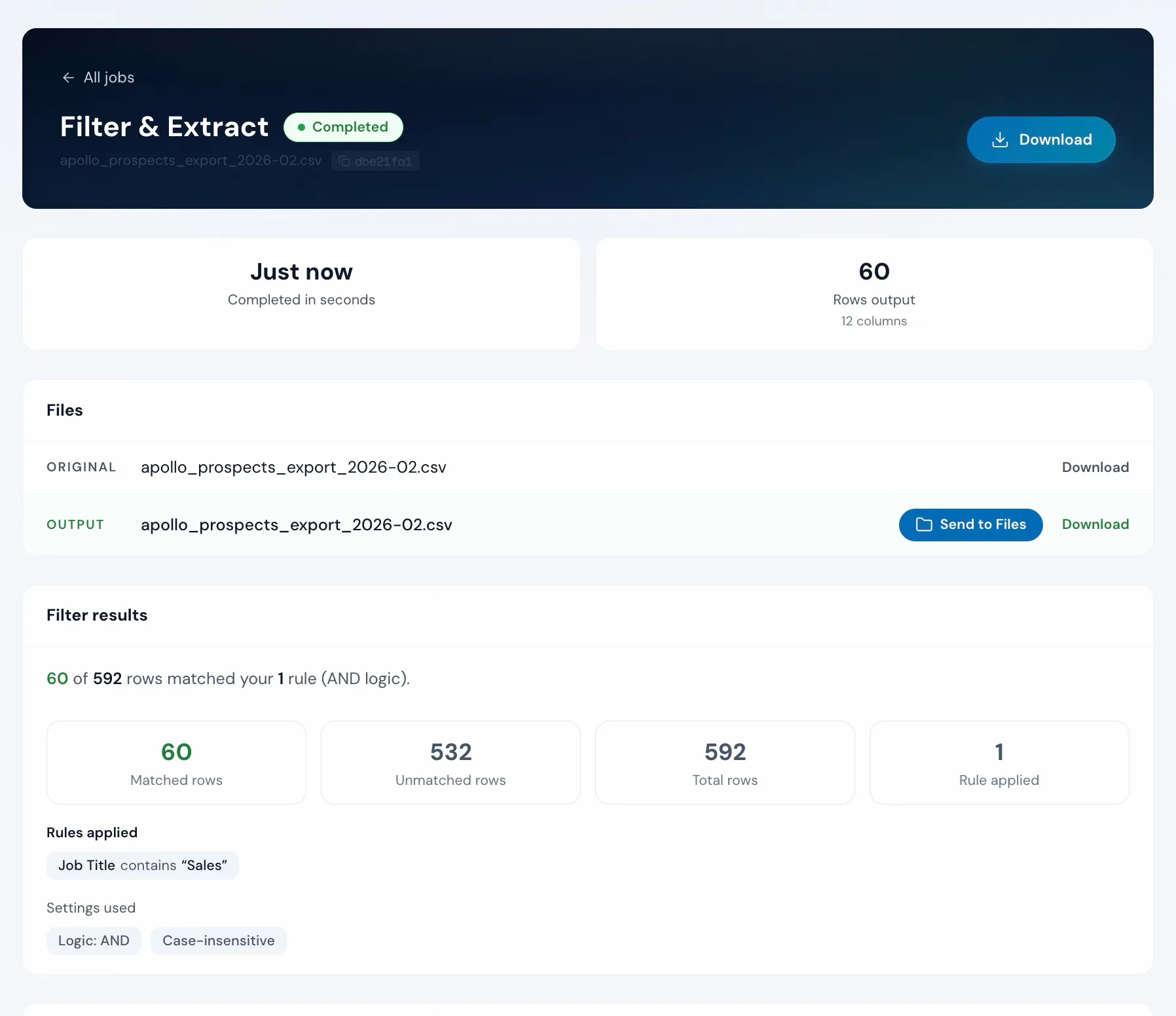
apollo_prospects_export_2026-02.csv
592 rows, 12 columns
Set your rules
Pick a column and a condition, then type a value. Add more rules and keep rows that match all of them or any of them.
Preview and download
See how many rows are kept and left out. Click Filter rows and download a file with only the matching rows.
Doing it yourself
How to filter data in Excel
Click any cell in your data and choose Data, then Filter. Click the arrow in a column's header and pick the values or condition to keep. To keep the matching rows on their own, copy them to a new sheet.
In Excel or Google Sheets
Advanced Filter exists but requires a separate criteria range. Copy-paste of filtered rows can accidentally include hidden rows. Repeat for every filter set.
With Filter & Extract
Combine rules across any columns. See the exact match count before running. Download only the rows you need.
Unwanted rows might not be the only problem in that file
Upload it and Bridgeant reviews the file before you commit to a tool. It reports what it finds, orders the problems by how much they actually matter, and points you at the tool for each one. That is on every plan including Free, and it works from a summary of your file rather than the contents.
On Starter and up it stops advising and starts doing. Describe the job in a sentence and Bridgeant plans the steps, shows you the plan, and runs them in the right order once you approve. You are not running four jobs by hand and trying to remember which came first.
Bridgeant, the agent inside OperelioPricing
On every plan, advanced logic included.
Every one of the 24 operators is on every plan, plus All rules or Any rule, brackets, as many rules as you need, advanced patterns, and a second file with the rows you filtered out. Row limits: 2,000 on Free, 50,000 on Starter, 75,000 on Pro, 150,000 on Agency. Each run uses one job: 5 a month on Free, 300 on Starter, 1,000 on Pro, 3,000 on Agency. Starter from $29.25 a month, Pro from $74.25, Agency from $224.25, billed annually.
It can be a step on a trail on any plan. From Starter, it runs on its own on every file or lead that reaches the trail's folder, with the push into your CRM at the end.
Common questions
Filter & Extract FAQ
Can I combine multiple filter rules?
Yes. Add as many rules as you need and keep rows that match All rules or Any rule. Add a bracket, with its own All or Any, to group rules, so (marketing or growth) and (manager or director) is one filter, on any plan.
What operators are available?
24 in all. Fourteen on any column: equals, does not equal, contains, does not contain, starts with, ends with, greater than, less than, between, is blank, is not blank, is one of, is not one of, and matches pattern. Ten for people and companies: job function is or is not, industry is or is not, seniority is within or outside, and company size is at least, under, not at least or not under. Every one is on every plan.
Can I filter on numbers and dates?
Yes. Greater than, less than, and between work with numeric values. Dates in YYYY-MM-DD format sort correctly for range comparisons.
What happens to rows that don't match?
They're excluded from the output by default. On any plan, check Also save the rows that don't match as a second file to keep them too, so you can review what was filtered out.
Is the search case-sensitive?
Case-insensitive is on by default. Turn it off to match exact case.
Does it work with multi-tab workbooks?
Yes. The tool reads the workbook's first tab by default, and a Sheet picker next to the file name switches to any other. To filter across every tab at once, combine the tabs into one list in Merge Files first; the optional Source Tab column keeps track of where each row came from.
How many rows can I filter?
Up to 2,000 on Free, 50,000 on Starter, 75,000 on Pro, and 150,000 on Agency.
Works well with
Find & Replace
Fix values across the whole file before or after you filter.
Split File
Break the filtered file into smaller files by rows or a column.
Deduplicate
Remove exact and similar duplicate rows from the list.
Use case: CRM data cleansing for HubSpot, Salesforce and Pipedrive
Want the full walkthrough? Read the Filter & Extract guide →
Stop hunting for the right rows.
Set your rules, see how many match, download the file. On every plan.