
Remove duplicate contacts before they reach HubSpot or Salesforce
Catch duplicate contacts in every list before import, even when they're written differently, so each person has one record, one owner and one place on your bill.
| Name | Company | Job title | Phone | |
|---|---|---|---|---|
| Maya Chen | maya.chen@harbourline.example | Harbourline | Head of Marketing | +44 20 7946 0958 |
| Raj Mehta | raj.mehta@coppergate.example | Coppergate | Head of Sales | +44 161 496 0120 |
| Sam Okafor | sam.okafor@ridgefield.example | Ridgefield Inc | Founder | 617-555-0110 |
Where duplicate contacts come from
A duplicate contact is a second record for a person already in your CRM, usually because they arrived from another list or were written a different way.
The same person on two lists
A webinar sign-up and a trade show list both have Maya, so one import adds her twice.
One person, two addresses
HubSpot already matches a new contact to an existing one with the same email, so the duplicates that get through are mostly the ones with a different email, or none: a work address and an alias, or a Gmail address written with dots or a +tag.
Typed by hand
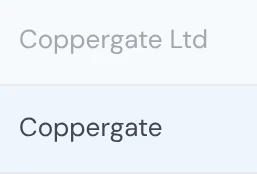
“Jon” on one row and “John” on another, or “Coppergate Ltd” and “Coppergate”.
Every re-import
An old export brought back in without matching makes a copy of every record it holds.
Forms filled twice
People submit again when the first reply is slow, and each submission arrives as its own row.
What one record per person gives your team
One record per person, however many lists they're on
Two records split one person's history, so two reps call the same buyer and neither sees the other's notes.
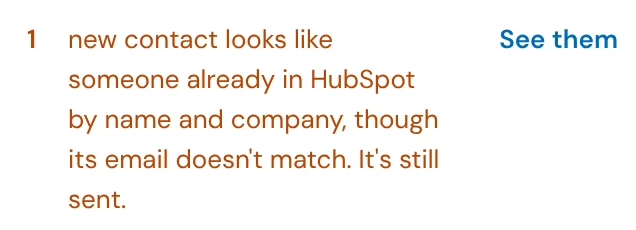
HowA push matches each row on email, so a person already there as the record you push (a HubSpot contact, a Salesforce lead or contact, a Pipedrive person) is updated, not created again. A row with no email isn't sent, and a new contact whose name and company match someone already in HubSpot is flagged before the push, even when its email doesn't match.
Duplicates caught even when they're written differently
A Gmail address with and without its dots, a US number with and without +1, and “Coppergate Ltd” and “Coppergate” look like different people to an exact match, so they import as two.
HowSmart matching reads a Gmail address with dots or a +tag, a US or Canadian phone with or without +1, and a company with or without Ltd or Inc as the same. Similarity catches typos, starting at 80 out of 100, and you can move it.

The copy you keep is the one you want
When two rows disagree, keeping the wrong one throws away the newer phone number or job title.
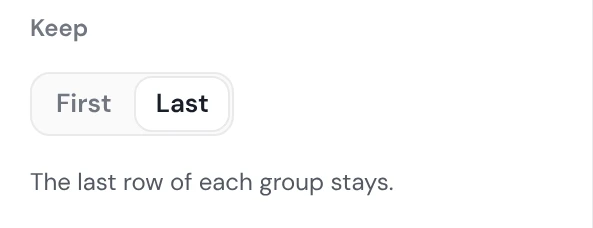
HowKeep the first or the last row of each group, and match on email alone or on email and company for a stricter match.
Nothing removed that you didn't see
Removing a real customer as a duplicate costs more than the duplicate did.
HowThe count shows before anything changes, the removed rows download as their own file, and by default, when you match on email, two rows with a blank email count as a match only if every other column matches too.


Pay for each person once
On HubSpot, every contact you set as a marketing contact counts toward the tier you pay for, so a duplicate marketing contact is paid for twice and gets every email twice.
HowDuplicates come out of each list before import, and a push updates people you already have instead of adding them again.
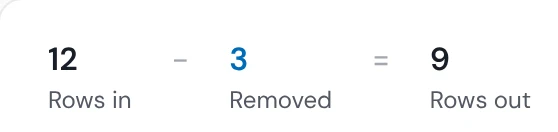
Find the duplicates already in your CRM
Years of imports leave pairs nobody has merged, and every count of customers you report is too high.
HowExport your contacts, run the file through Deduplicate, and download the extra copies to merge in your CRM. Operelio doesn't merge records inside HubSpot or Salesforce.
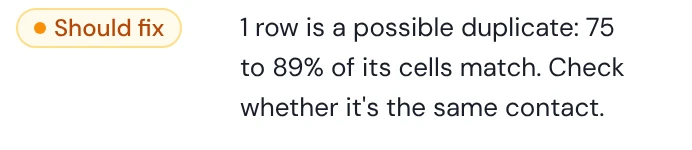
See every duplicate before it's removed
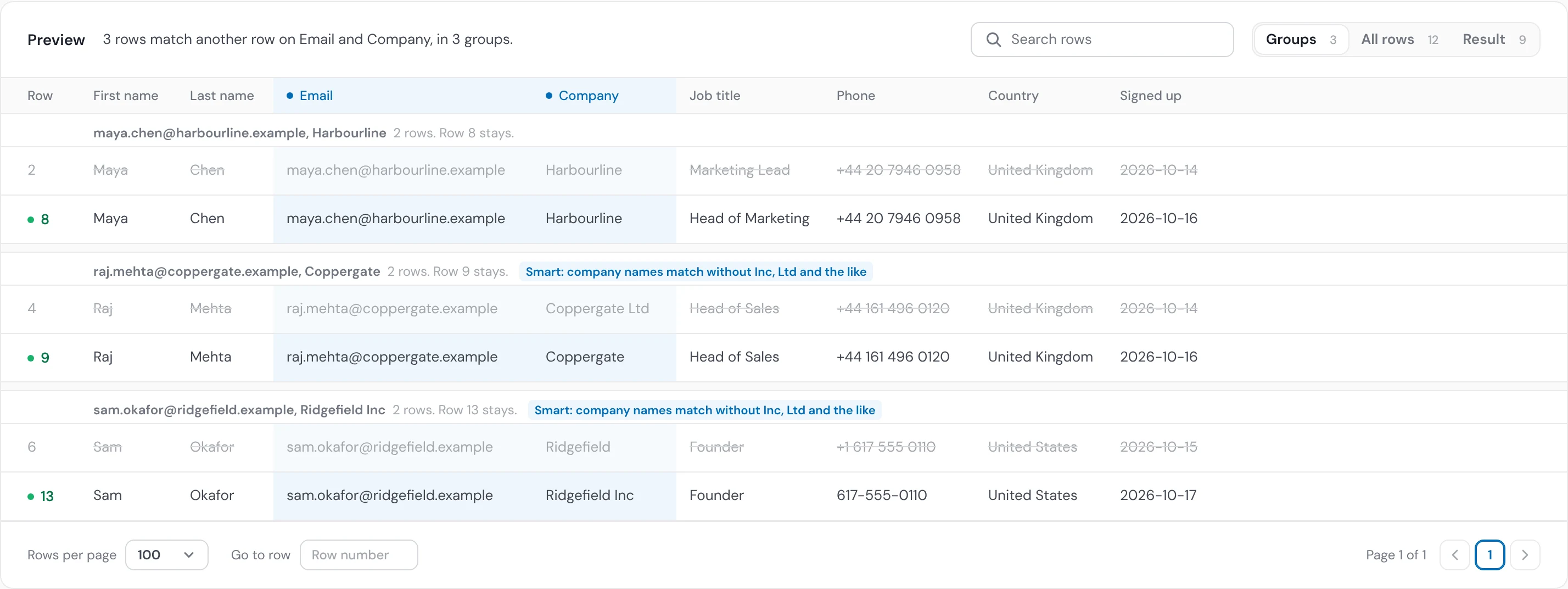
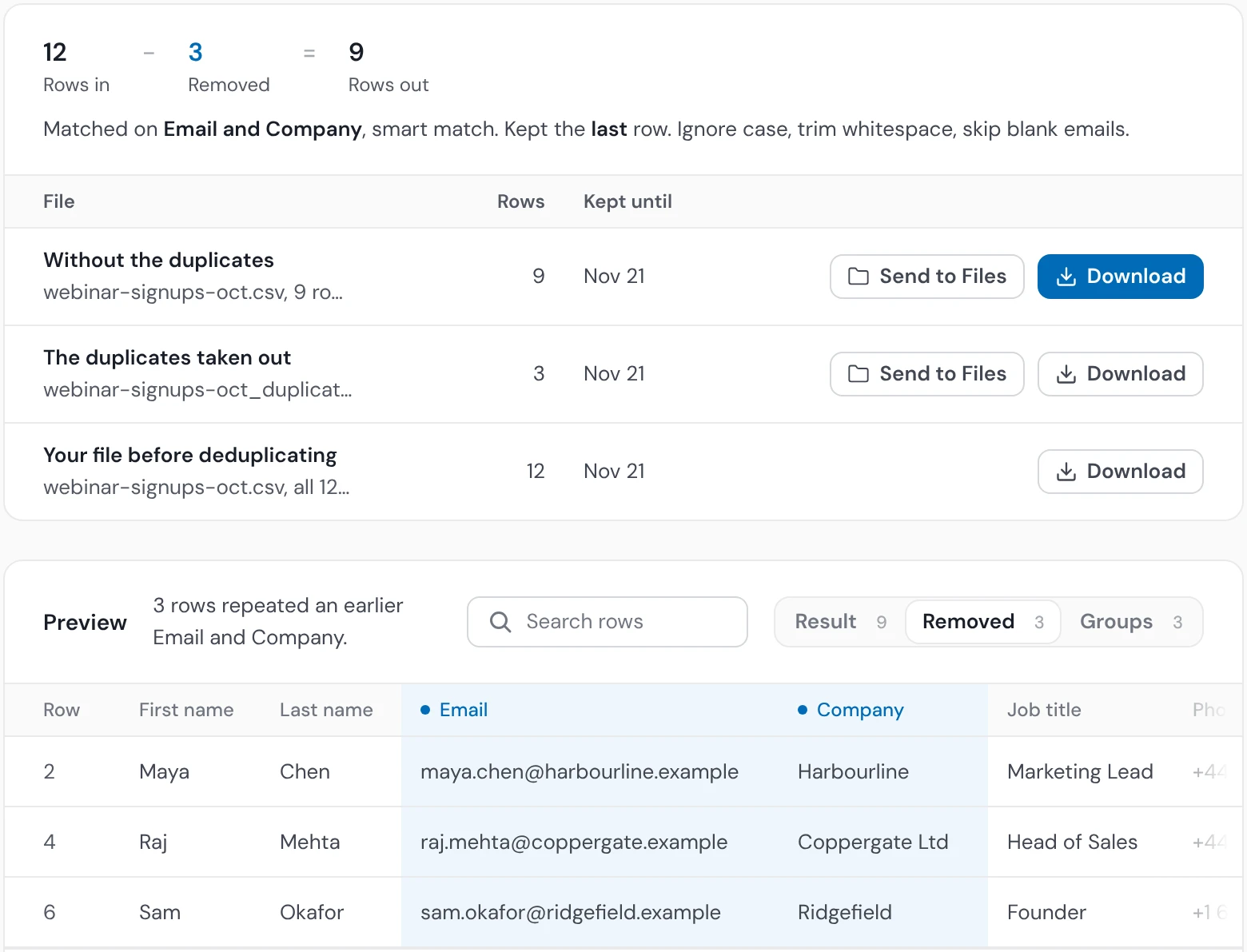
The webinar list, checked: the pairs Deduplicate found, the row each keeps and the rows it removes, before anything changes.
Nothing is removed or merged without you
Your file isn't changed until you say so
The count and the rows show first, and nothing changes until you click Remove.
Blank emails aren't a match
By default, when you match on email, two rows with no usable email stay as two people unless every other column matches too.
The removed rows are kept
They download as their own file, so you can check any of them, or add one back.
Values in your CRM stay unless you choose
A push that finds a person fills blank fields by default, and overwrite is your choice.
Duplicate contacts in HubSpot, Salesforce and Pipedrive

HubSpot
People are matched on email and companies on website or name. A match is updated, filling blank fields by default, and HubSpot's own merge handles the pairs already inside. To merge the pairs already in HubSpot, see how to find and merge duplicate contacts in HubSpot.

Salesforce
Each push matches its own object on email: a lead push updates leads already there, and a contact push updates contacts. A person who is a lead now isn't found by a contact push. Salesforce's own duplicate rules can also block a push; see what they do to imports.

Pipedrive
People are matched on email, and your value becomes the primary email, with the others kept. Choosing a dedupe app for Pipedrive? See how Operelio compares with Dedupely.
Duplicate contacts questions
What are duplicate contacts?
Two or more records in a CRM for the same person, often with a slightly different email, name or company, so their history, owner and emails are split across copies.
What causes duplicate contacts in a CRM?
The same person arriving from two sources, the same person written two ways (an alias, a +tag, “Ltd” or not), and imports that add rows without matching them to the records already there.
How do I remove duplicate contacts before importing?
Remove them from the file before you import it: run the list through Deduplicate, check the count and the removed rows, then import the clean file. For what else to check first, see cleaning data before or after a CRM import.
How does Operelio decide two contacts are the same person?
Operelio compares the columns you choose: Exact needs the same value apart from capitals and spaces at the ends, Smart reads a Gmail address with dots or a +tag, a US or Canadian phone with or without +1, and a company with or without Ltd or Inc as the same, and Similarity catches typos at a threshold you set.
How do I avoid removing contacts that only look like duplicates?
Check the count and the pairs before anything is removed, and match on email with Exact or Smart when names alone could be two people.
Which copy is kept?
Operelio keeps the first row of each duplicate group by default, or the last if later rows hold newer details, and puts the others in a separate file.
Can I get removed contacts back?
Yes, the removed rows download as their own file, so you can check any of them or add one back.
Does Operelio merge duplicates inside HubSpot or Salesforce?
No, Operelio doesn't merge records inside HubSpot or Salesforce: it removes duplicates from the file, and a push matches each row on email, so a person already there as the record you push is updated instead of added again. To merge the pairs already in HubSpot, see how to find and merge duplicate contacts in HubSpot.
What about contacts with no email address?
By default, when you match on email, two rows with a blank email never count as a match unless every other column matches too, and a push skips rows with no email, so they're never matched to the wrong person.
Why do duplicate contacts come back after a cleanup?
Because every new list, form fill and re-import can bring the same people in again, so a one-time cleanup only lasts until the next import; checking each list before it's imported stops them at the source. A trail can run Deduplicate on every file that arrives.
Do duplicate contacts cost money?
Duplicate contacts can cost money on HubSpot: only marketing contacts count toward your contact tier and its price, so a person held twice as a marketing contact is paid for twice. Non-marketing contacts aren't charged.
Is removing duplicate contacts free?
Yes: Deduplicate and Data Health Check are free on every plan, on files up to 2,000 rows. Pushing to your CRM starts on Starter.
Check your next list for duplicates
Run it through Deduplicate for free. Pushing to your CRM starts on Starter, at $39 a month.