
The Operelio API and MCP server
Operelio's API runs the same trails, leads, tools and CRM pushes as the app from your code. Its MCP server lets an AI assistant like Claude or ChatGPT work with your trails, leads, tools, CRM pushes and Bridgeant. Both follow your plan's own rules.
- Asks before changing your data
- Read-only API keys
- Signed webhooks
GET /api/v1/trailsPro and AgencyWhich leads are held?
Every planlead.heldPro and Agency Your Operelio workspaceWhat the app runs, from outside it
- TrailsInbound leads, on
- Leads17 held
- ToolsDeduplicate and 16 more
- Do Not Contact2,184 entries
- CRM pushHubSpot connected
Same checks, limits and admin rights as the app.
 HubSpot
 Salesforce
 Pipedrive
Call the API from your own code
The API lets your own code read and change what you see in the app: trails, routing teams, leads, files, workflows, Do Not Contact, CRM pushes and Bridgeant.
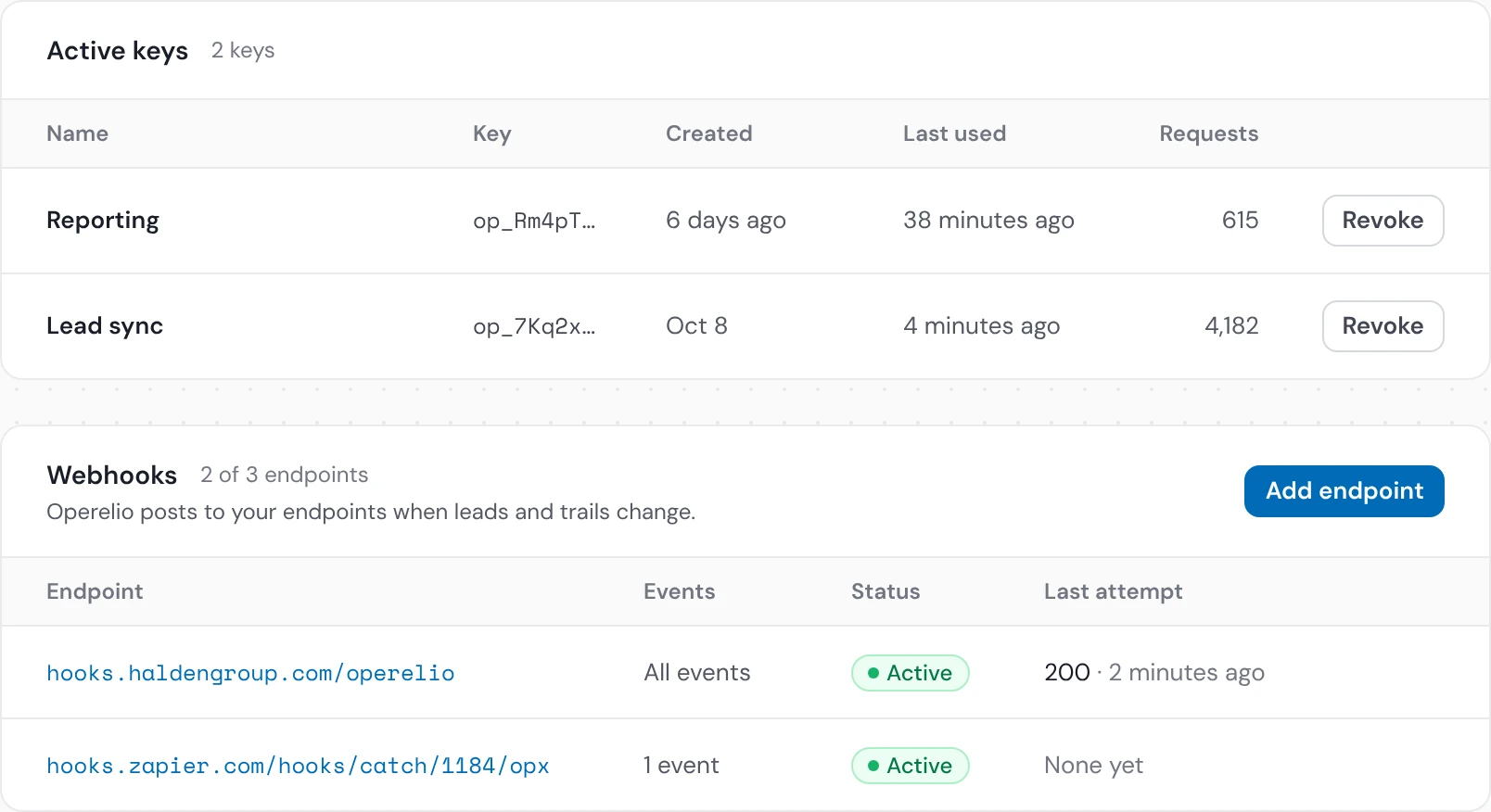
curl -G https://operelio.com/api/v1/leads \ -d state=held -d trail=4f2a… \ -H "Authorization: Bearer op_7Kq2xV…"{ "data": [ { "id": "c81e…", "state": "held", "score": null, "heldReason": "missing_field" }, … ], "nextCursor": "…"}- Make a keyOn the API keys page in Operelio. Pick read only or read and write. A key that changes things must be made by an admin.
- Send it with each requestAs a Bearer token, to the base URL.
https://operelio.com/api/ v1 Authorization: Bearer op_… - Stay inside your limits1,000 calls a month on Pro, 5,000 on Agency. Only writes, runs and Bridgeant questions that use a message count. Reads don't. Each key can make 60 requests a minute.
Every endpoint
Counts toward your monthly calls. The rest are reads and don't.
Trails and runs
- GET
/trailsEvery trail, its state and held leads - GET
/trails/One trail, with its source, CRM and routing{id} - GET
/trails/Its runs, newest first{id}/ runs - GET
/runs/One run, with where each row went and why{id} - POST
/trails/Pause a trailCounts toward your monthly calls.{id}/ pause - POST
/trails/Switch it back on, after the same checks as the buttonCounts toward your monthly calls.{id}/ resume - GET
/trails/Its rules, teams and who is next{id}/ routing - PUT
/trails/Change who is on a teamCounts toward your monthly calls.{id}/ routing/ teams/ {groupId}/ members
Leads
- GET
/leadsLeads in review, held, or all - GET
/leads/One lead and its timeline{id}
Do Not Contact
- GET
/dnc/Search your listentries - POST
/dnc/Add up to 500 at onceCounts toward your monthly calls.entries - DELETE
/dnc/Remove oneCounts toward your monthly calls.entries/ {id} - POST
/dnc/Check up to 100 valuescheck
Files, tools and workflows
- POST
/uploadsUpload a CSV or Excel fileCounts toward your monthly calls. - POST
/jobsRun a tool on itCounts toward your monthly calls. - POST
/jobs/Run a tool on many files at once (Agency)Counts toward your monthly calls.batch - GET
/jobs/Check until it has finished{id} - GET
/jobs/Check a batch's progressbatch/ {id} - GET
/jobs/Download a batch as one ZIPbatch/ {id}/ download - GET
/files/Download the result{id}/ download - GET
/workflowsYour saved workflows - POST
/workflows/Run one by its nameCounts toward your monthly calls.run
CRM
- GET
/crm/The CRMs you connected in the appconnections - POST
/jobs/Push a finished file to your CRMCounts toward your monthly calls.{id}/ push - GET
/jobs/What the push created and updated{id}/ push - GET
/crm/Your CRM's usersowners - GET
/mappingsYour saved column mappings - GET
/mappings/One saved mapping{id}
Reports
- GET
/analytics/The numbers on the Analytics tab{view} - GET
/activityEverything that ran, and who ran it
Bridgeant
- POST
/bridgeant/Ask Bridgeant a question, charged as a chat turnCounts toward your monthly calls.ask - POST
/bridgeant/Run what it offeredCounts toward your monthly calls.actions/ {id}/ confirm
Every path starts with https://operelio.com/api/v1. Lists come 25 at a time, up to 100, with a cursor for the next page. See each one's fields
Connect Claude or ChatGPT through the MCP server
MCP is how AI assistants like Claude and ChatGPT connect to other apps. Add Operelio to yours once and sign in, then ask in your own words. Anything that changes your trails or your CRM waits for your yes.
 Claude
 ChatGPT
ClaudeExampleWhich leads on the Inbound leads trail are held, and why?
Opereliolist_leads17 are held. 12 scored 2 and 5 scored 1, so they stayed out of HubSpot.
Pause that trail while we fix the form.
Allow Operelio to run pause_trail?Inbound leads
Paused. New leads wait in its folder until you switch it back on.
- Add Operelio to your assistantIn Claude or ChatGPT, add a custom connector with this address, then sign in to Operelio. There's no key to paste.
https://operelio.com/api/ mcp - Ask what you want to knowFor example, which leads are held and why, or how last week's runs went.
- Approve each changeTools that change your trails or CRM are marked, so your assistant asks you before running them.
claude mcp add --transport http operelio \ https://operelio.com/api/mcpWhat it can do on your plan
| Plan | Through the MCP server |
|---|---|
| Free | The 15 free tools, your own jobs and files, and your trails, their runs and leads. 5 jobs per person over 30 days, files up to 2 MB. |
| Starter | Adds live trails to pause and resume, Do Not Contact checks, CRM pushes and Bridgeant. Files up to 25 MB. |
| Pro and Agency | Everything above, and you can connect with an API key instead of a sign-in. |
A job run from your assistant counts toward the same monthly jobs as the app. Reads don't count.
The tools your assistant gets
Claude will be able to work in your Operelio workspaces as you: see your workspaces and jobs, upload files, run Operelio's cleaning tools on them, download the results, see your trails, their runs and leads, pause and resume trails, check addresses against Do Not Contact, push results to your CRM, ask Bridgeant and run the work Bridgeant offers. Pausing, resuming and pushing to a CRM need a workspace admin.
- list_workspaces
- get_job
- get_download_link
- list_trails
- get_trail
- list_trail_runs
- get_run
- list_leads
- get_lead
- check_dnc
- list_crm_connections
- get_push_status
- upload_file
- start_upload
- finish_upload
- run_tool
- ask_bridgeant
- pause_trail
- resume_trail
- push_job_to_crm
- confirm_bridgeant_action
Your assistant sees only the workspaces you belong to, and loses access as soon as you're removed from one. Set up the MCP server
Get a webhook when a lead is held or pushed
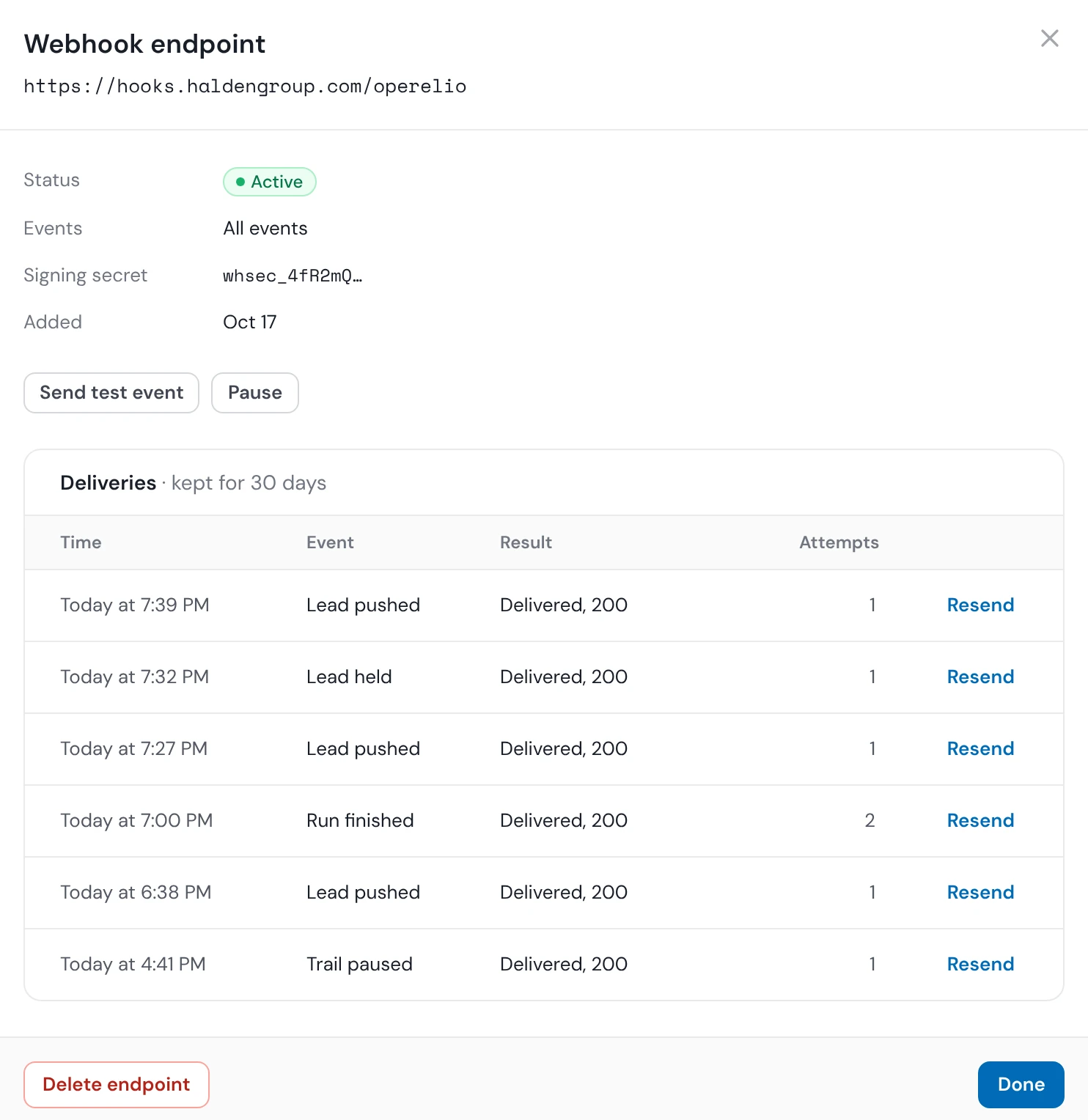
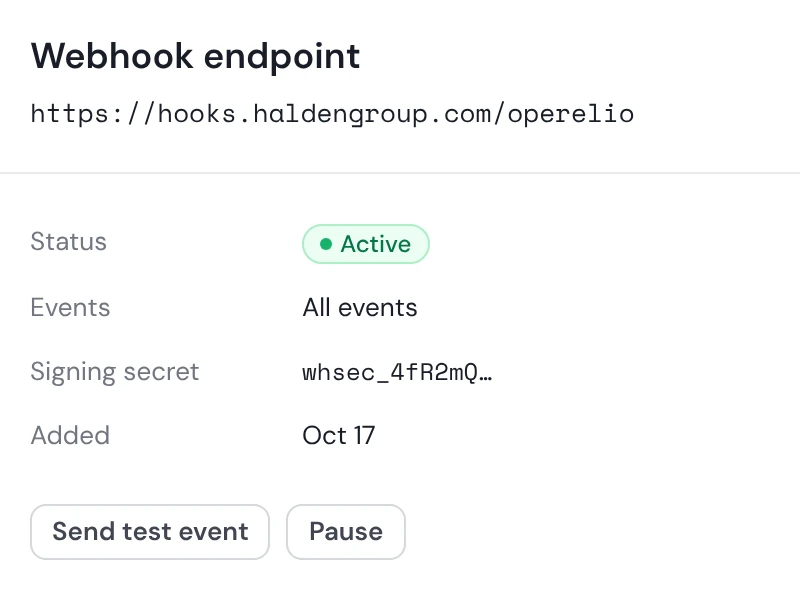
A webhook is a short message Operelio sends to your own system the moment something happens, so your code doesn't have to keep asking. Add the address on the API keys page and pick its events.
Four events, and how they arrive
lead.heldA lead is held, with the reason as a codelead.pushedA lead reached your CRMrun.completedA live trail run finished, parked, failed or was canceledtrail.pausedA trail stopped on its own
- Signed
- HMAC-SHA256 over the timestamp and the body, with the endpoint's own secret.
- Retried
- For about 2 days: after 1 minute, then 5, 15, and on up to 24 hours.
- Logged
- 30 days of deliveries, with a Resend button.
- Endpoints
- 3 on Pro, 10 on Agency.
Operelio-Event: lead.heldOperelio-Delivery: 9b1c…Operelio-Timestamp: 1793629269Operelio-Signature: v1=5d2c…
{ "id": "9b1c…", "type": "lead.held", "createdAt": "2026-11-02T14:21:09Z", "workspaceId": "a7d3…", "data": { "leadId": "c81e…", "trailId": "4f2a…", "folderId": "e05b…", "reason": "low_score", "at": "2026-11-02T14:21:08Z" }}const crypto = require("crypto");
function verify(secret, ts, body, sig) { const want = "v1=" + crypto .createHmac("sha256", secret) .update(`${ts}.${body}`) .digest("hex"); if (want.length !== sig.length) return false; const age = Date.now() / 1000 - ts; return Math.abs(age) < 300 && crypto.timingSafeEqual( Buffer.from(want), Buffer.from(sig));}import hmac, hashlib, time
def verify(secret, ts, body, sig): msg = f"{ts}.".encode() + body want = "v1=" + hmac.new( secret.encode(), msg, hashlib.sha256).hexdigest() age = time.time() - int(ts) return (abs(age) < 300 and hmac.compare_digest(want, sig))Check the body as it arrived, before you parse it. It carries ids, codes and times, never a lead's details, so fetch the lead through the API with its id. Read the webhooks guide
Read the docs
Start here
Your first call, your keys, and a full integration.
Guides
Trails and leads, Do Not Contact, your assistant and webhooks.
Reference
Every endpoint and tool, plus limits and errors.
Connecting a form, Zapier or your CRM instead? See every integration
API and MCP questions
Does Operelio have an API?
Yes. Operelio's REST API at operelio.com/api/v1 reads and runs your trails, leads, tools, Do Not Contact list and CRM pushes, with an API key. It's on Pro and Agency.
Does Operelio have an MCP server?
Yes. Operelio's MCP server at operelio.com/api/mcp lets Claude, ChatGPT and other MCP clients, once you sign in, read trails and leads, run tools, check Do Not Contact and push to your CRM. It works on every plan, within that plan's limits. Changes to your trails or CRM wait for your yes.
Which plans include the API?
Operelio's API is on Pro, with 1,000 calls a month, and Agency, with 5,000. Free and Starter can use the MCP server with a sign-in.
Do reads count toward the API limit?
No. Operelio counts writes, runs and Bridgeant questions that use a message toward your monthly calls. Reads are limited only to 60 requests a minute per key.
Can Operelio send webhooks?
Yes. Operelio posts lead.held, lead.pushed, run.completed and trail.paused to your https address, signed with HMAC-SHA256 and retried for about 2 days. Pro has 3 endpoints and Agency 10.
Can I push leads to my CRM through the API?
Yes. Operelio pushes a finished file to HubSpot, Salesforce or Pipedrive with POST /api/v1/jobs/{id}/push, through the CRM you connected in the app. A live trail pushes each lead on its own.
Connect Operelio to your code or your assistant
Start free and add Operelio to Claude or ChatGPT today. The API and webhooks come with Pro.