
Cut lead response time in HubSpot and Salesforce
Every new lead with its rep before it goes cold
Each lead from your forms and inbox goes to HubSpot or Salesforce with the owner your rules pick, and your speed to lead for the day is on the Today card.
One demo request, timed to the second
Arrives
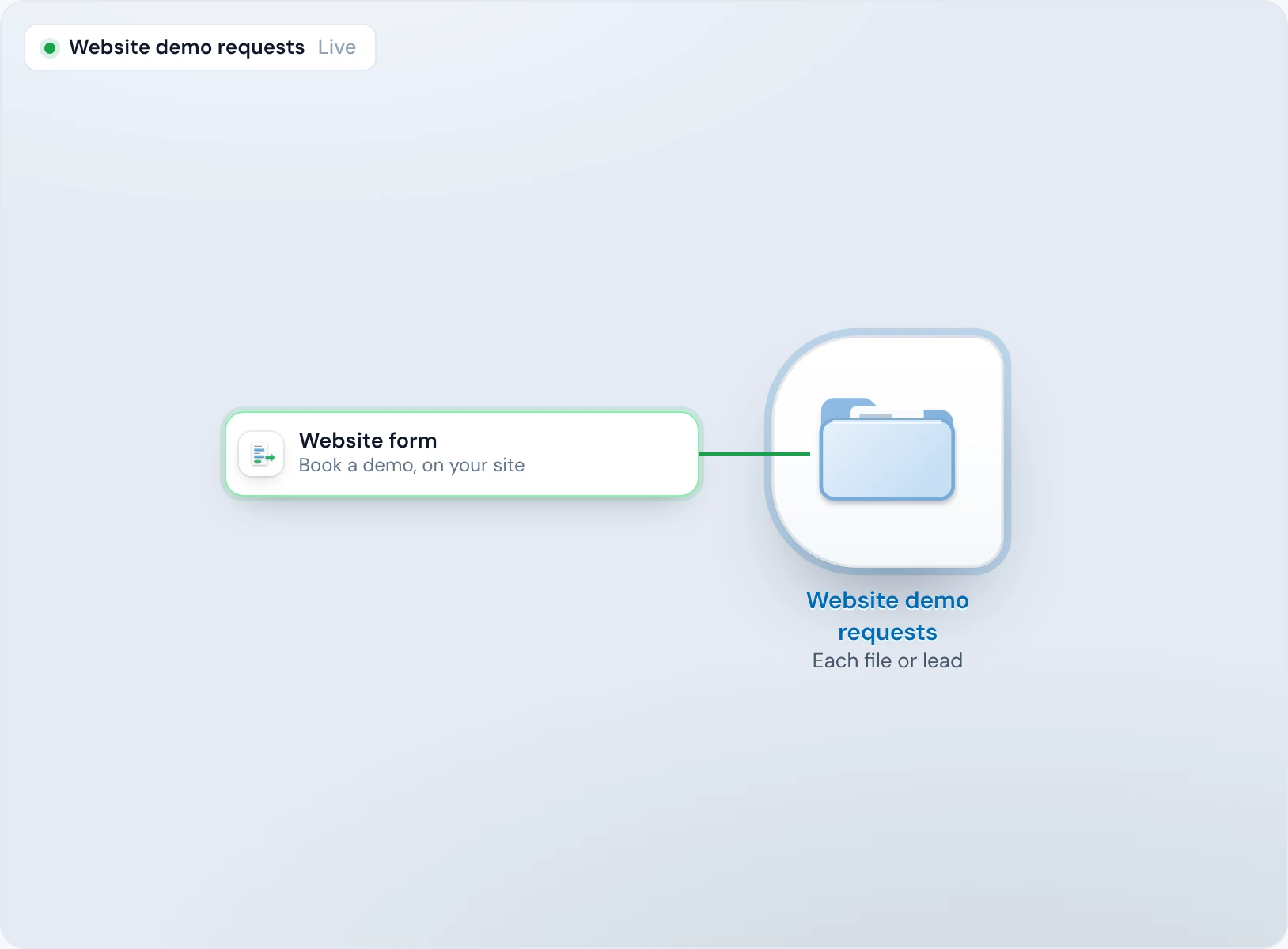
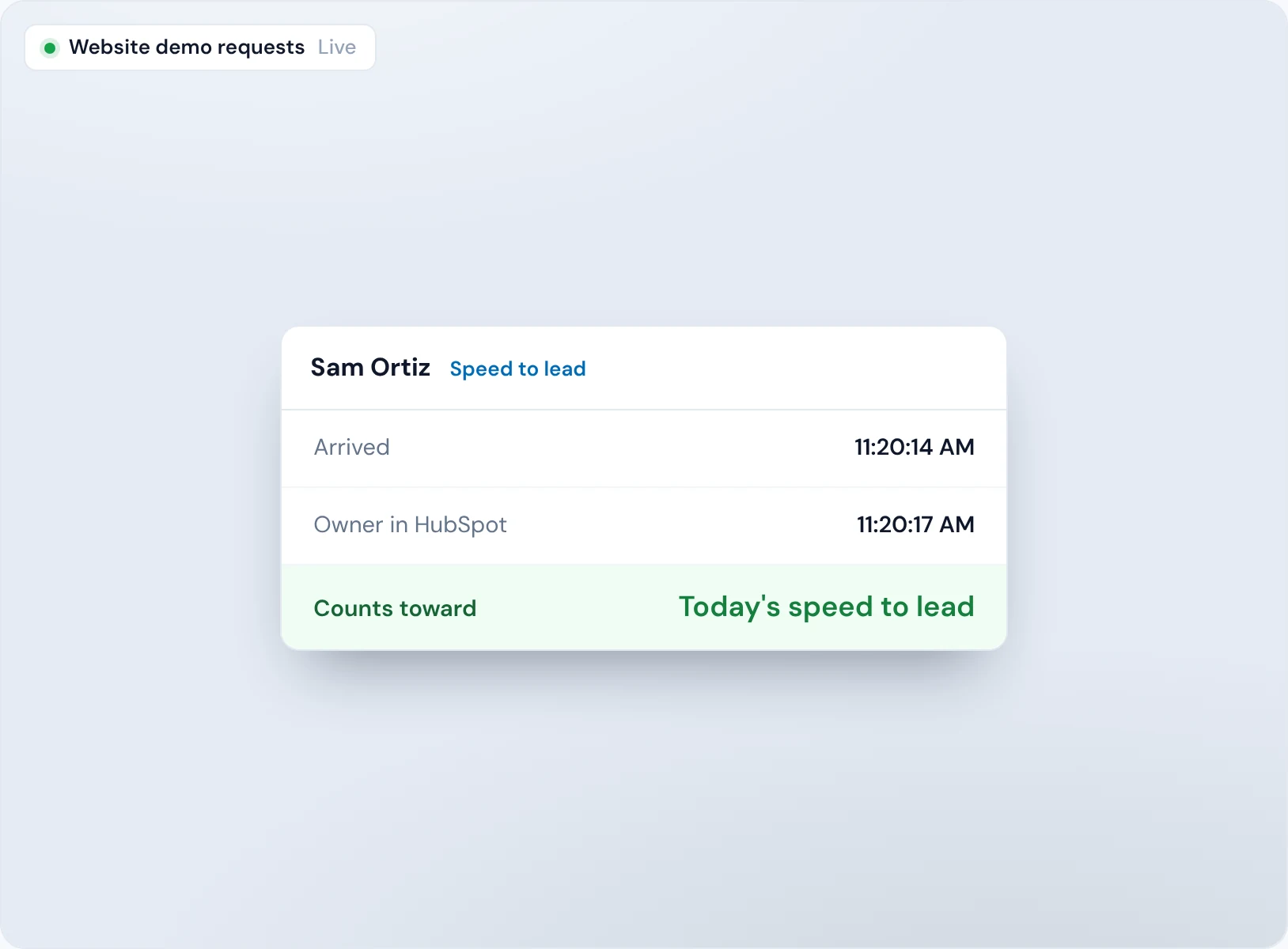
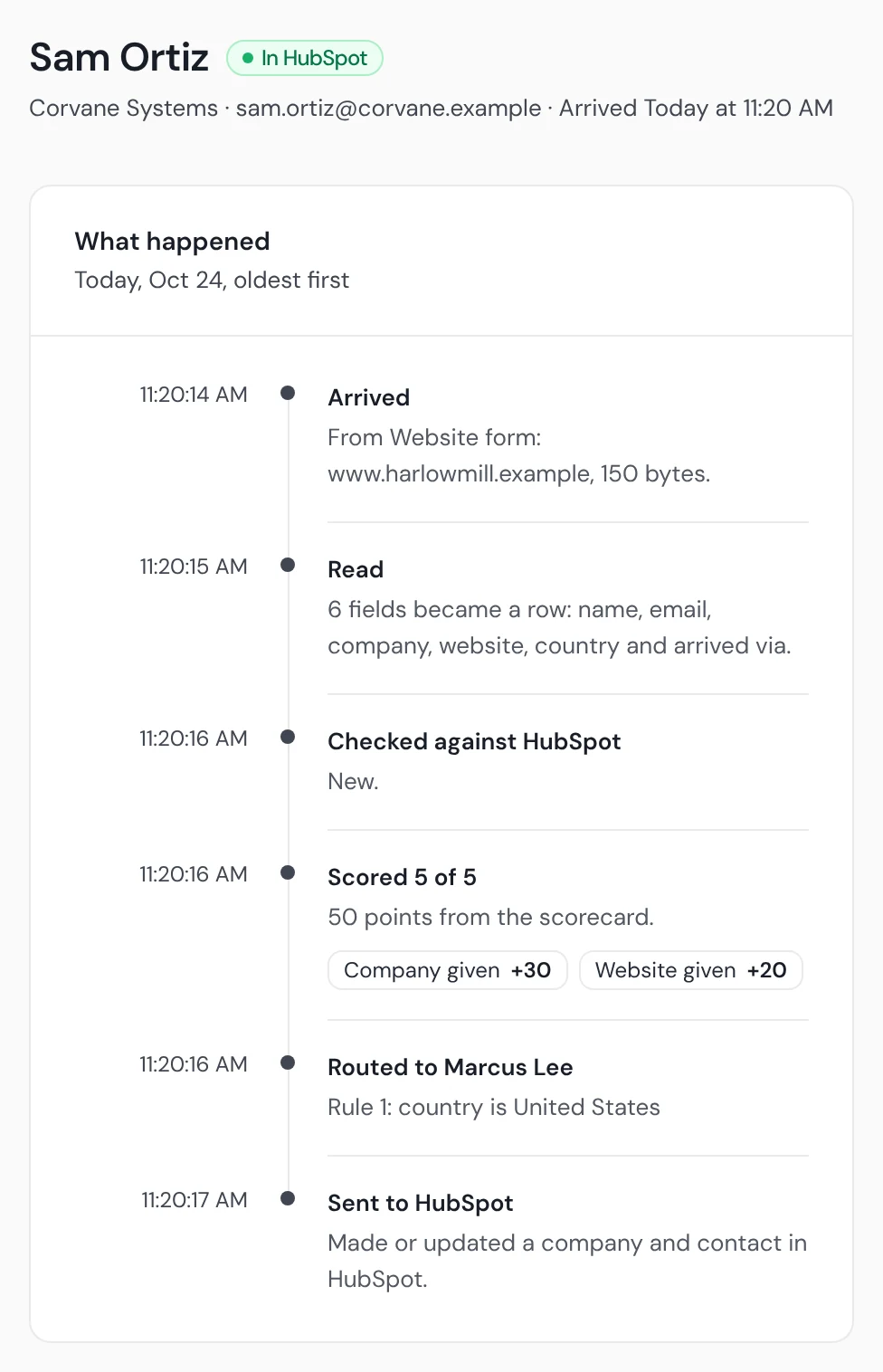
Sam Ortiz books a demo at 11:20:14 AM. The form posts to your trail, and Operelio picks the lead up straight away.
Checked
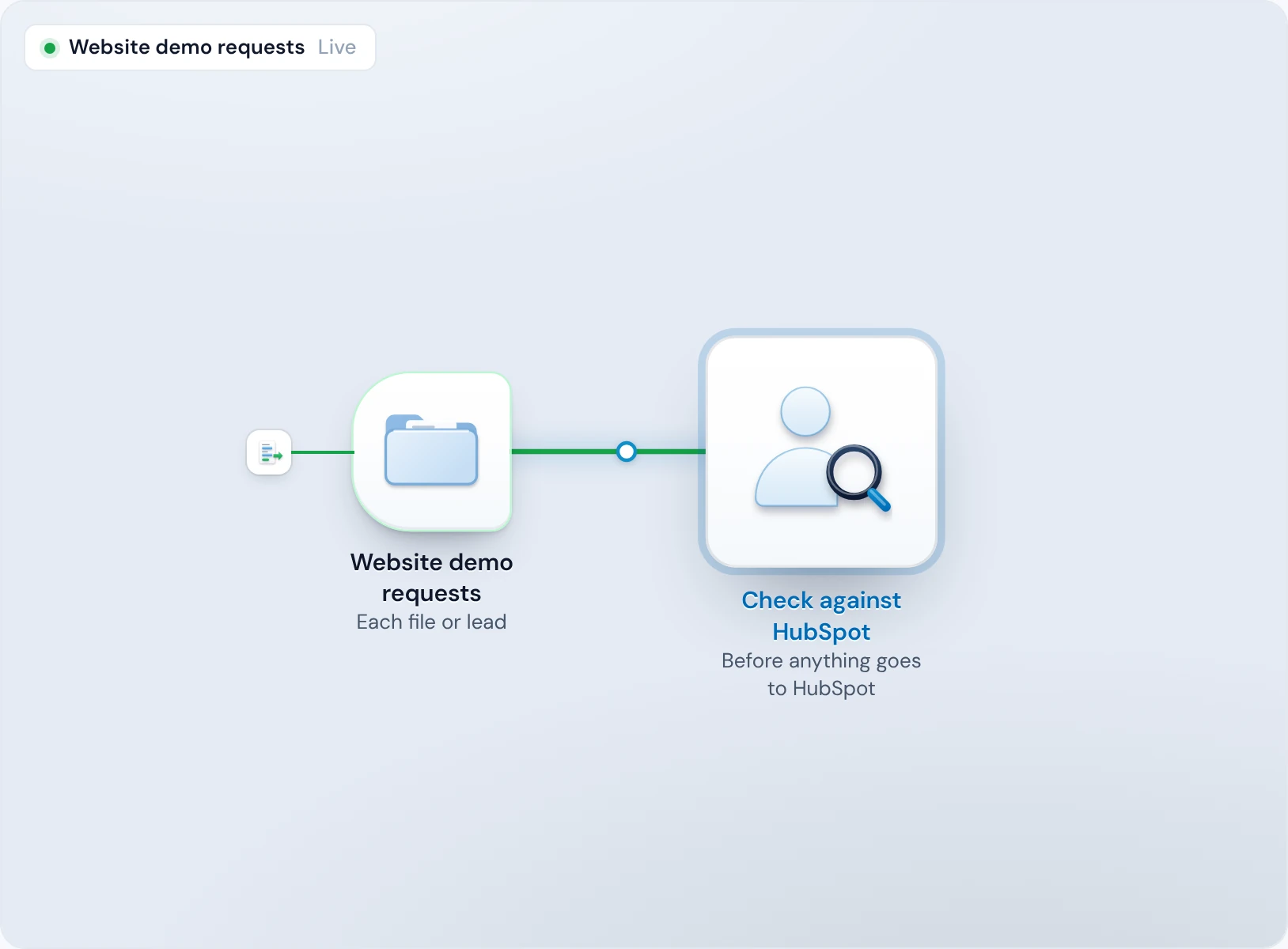
At 11:20:16 AM, HubSpot has no contact with her email and no company at her domain.
Owned
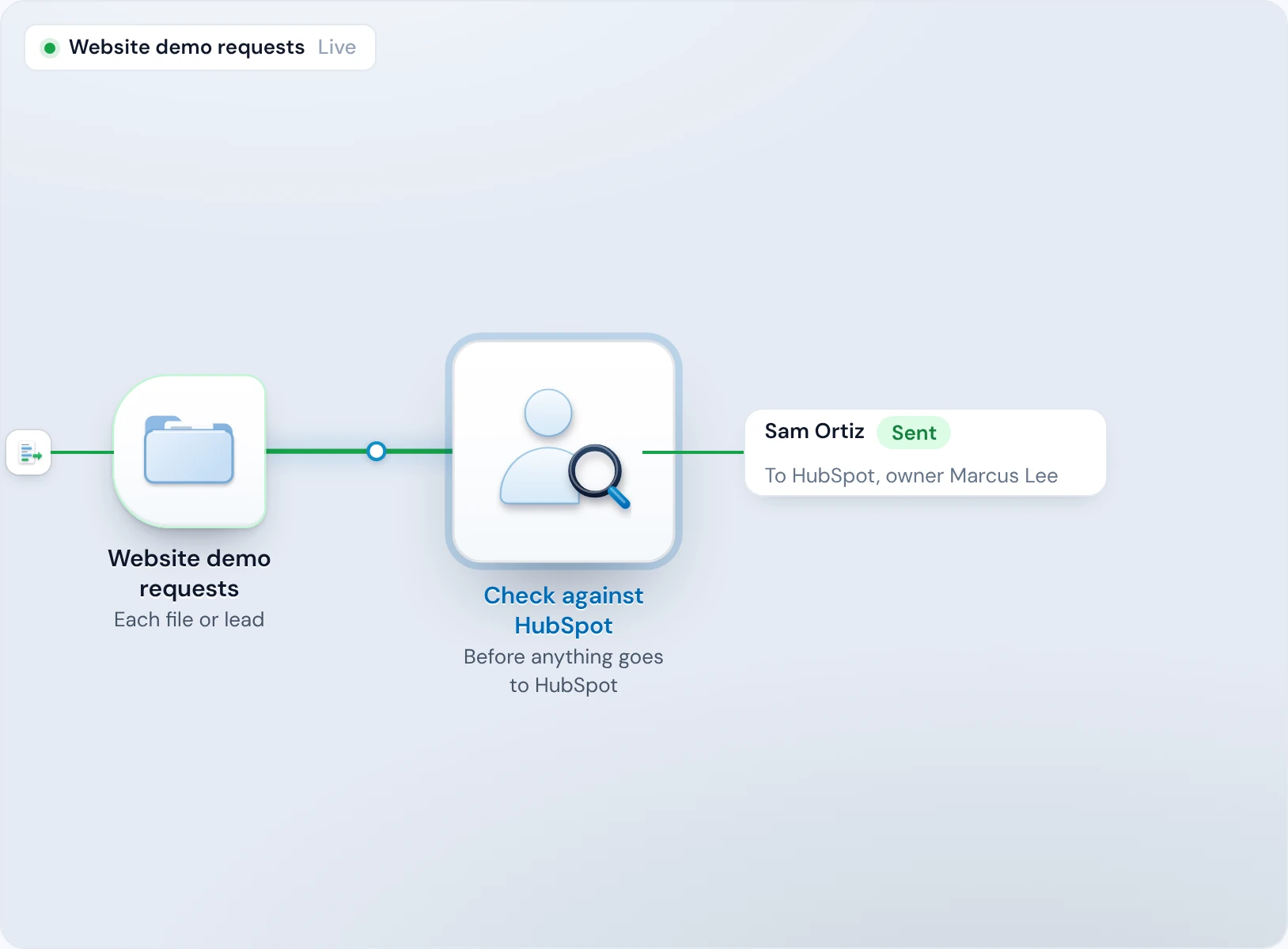
At 11:20:17 AM, her contact is created in HubSpot with Marcus Lee as owner. Each step's time is on her timeline.
Counted
The time from her arriving to having an owner counts toward today's speed to lead on the Today card.
Every lead goes to your CRM as it arrives
The lead that waits in an inbox or a spreadsheet is the one a competitor calls first.
A lead from a form, Typeform, a webhook or an email runs as soon as it arrives, and anything that wasn't picked up straight away runs within the minute. Emailed inquiries come in as soon as they're delivered, with no mailbox to check. In a trail's first week, every new lead waits for your yes or no, so you see what it does before it sends on its own.
Each step to the second
A lead's timeline shows when it arrived, was checked, routed and sent, to the second.
A launch doesn't stall it
Past 60 leads a minute or 1,000 an hour from one source, the rest are gathered into one list job within 10 minutes, and every one is kept.
No lead waits for someone to assign it
A lead with no owner is a lead nobody calls.
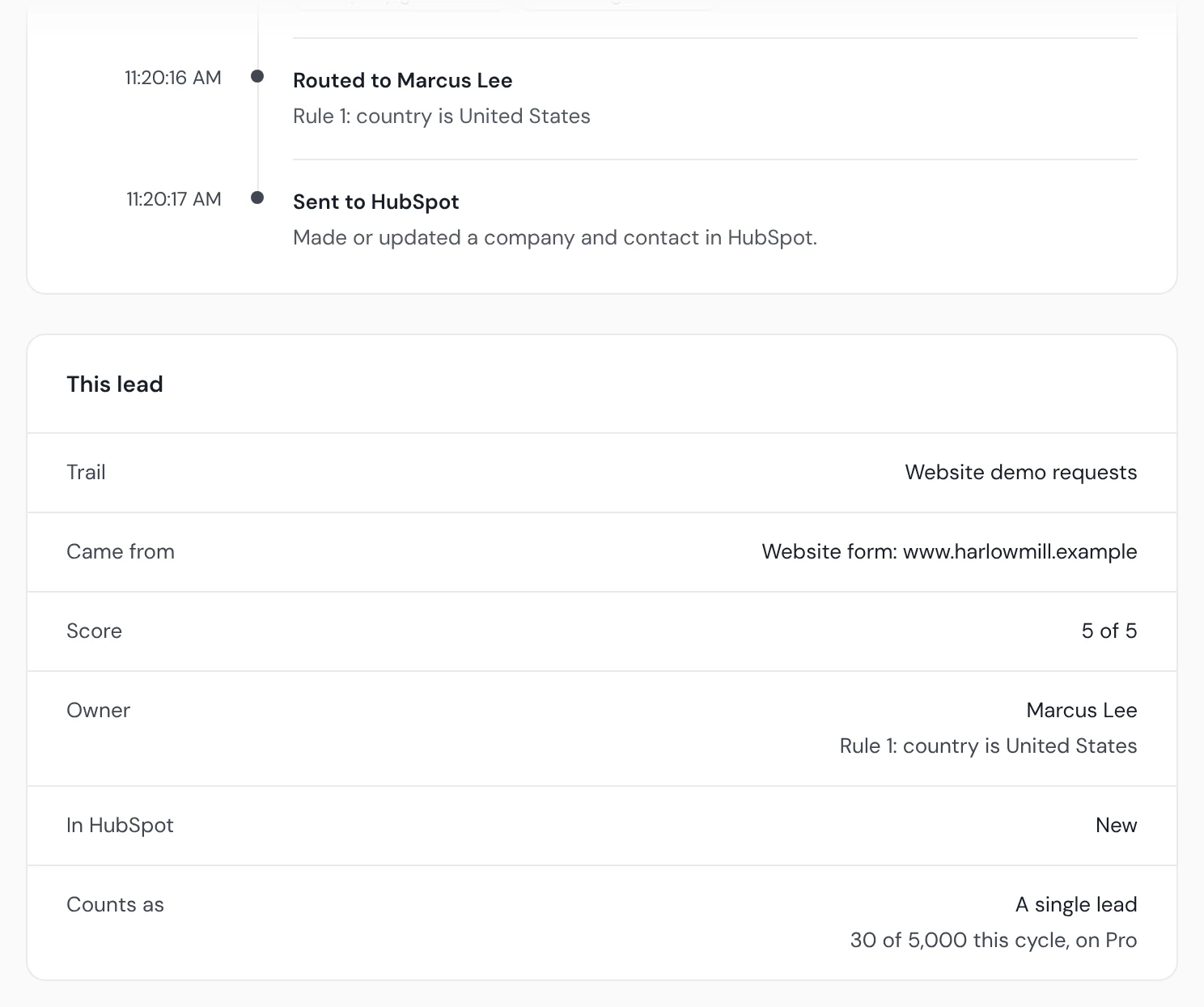
When your routing rules name a rep, the record is created in HubSpot or Salesforce with that rep as owner. Someone already in your CRM keeps the rep who owns them. If a rule names someone who has left, the lead waits in Held for you to pick an owner, so it never goes in unowned.
Owned on arrival
With routing rules, the record never sits unowned while someone decides who should take it.
How long each lead waits for an owner, measured every day
You can't shorten a delay you can't see.
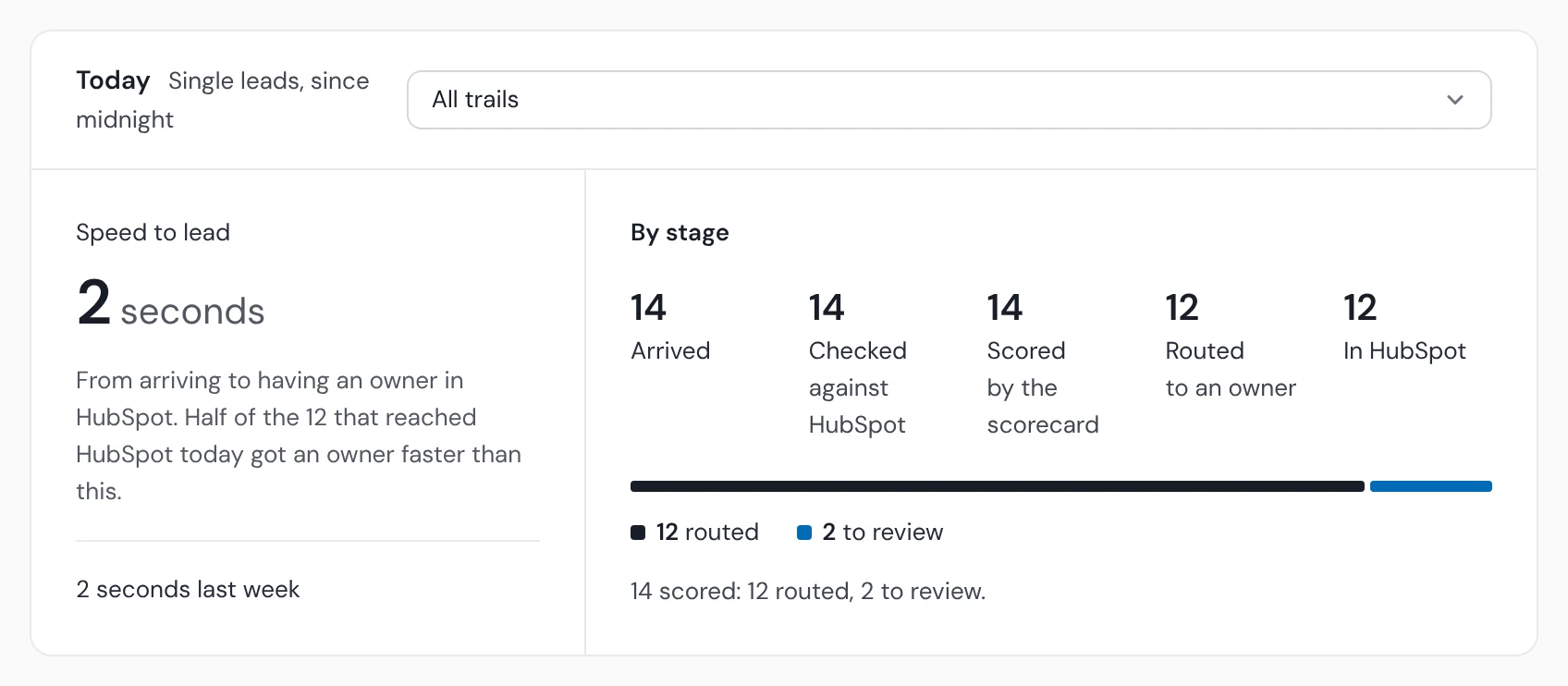
The Today card shows your speed to lead: the median time from a lead arriving to it having an owner in your CRM, beside last week's. “Half of the 12 that reached HubSpot today got an owner faster than this.” When one lead was slow, its timeline shows where it waited.
The median, not the best case
Half of the leads that reached your CRM with an owner today got there faster, and half slower, so one quick lead can't flatter the number.
Today against last week
The figure sits beside last week's, so you see whether a change helped.
Leads waiting on a person are flagged, with how long they've waited
A lead waiting for a yes or no is waiting on someone who may not know it's there.
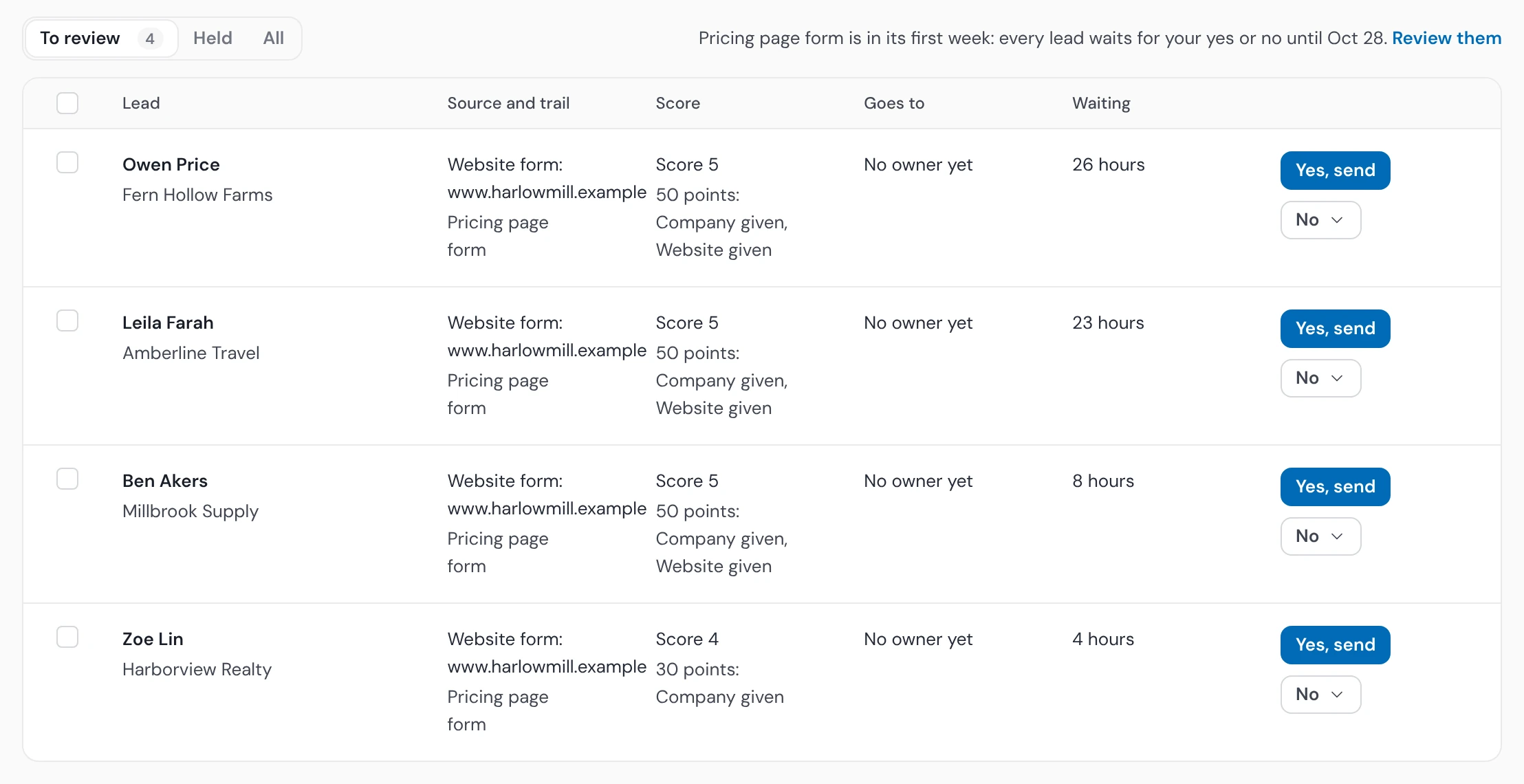
Leads waiting for a yes or no show how long they've waited, such as “26 hours”. Once the oldest has waited a day, the trail's people get a reminder in Operelio, once a day. A lead held for a problem someone has to fix tells the trail's people in Operelio and by email, no more than once an hour.
Waiting, in hours
Every waiting lead shows its age, so the oldest gets looked at first.
A nudge, not a flood
One reminder a day per trail, not one per lead.
HubSpot and Salesforce lead response time

HubSpot
HubSpot's own Lead response time report starts when a contact gets an owner, so the wait before that never shows in it. New contacts are created with their owner already set, and someone already in HubSpot stays with the rep who has them.

Salesforce
New leads are created as Leads, or as Contacts linked to their Account, with the owner set, and an existing record keeps its owner.

Pipedrive
Pipedrive takes lists today. A single lead for Pipedrive is kept in Operelio, for up to your plan's retention, until the trail sends to HubSpot or Salesforce.
Lead response time questions
What is lead response time?
Lead response time is the time from a lead arriving to someone on your team first reaching them. It has two parts: the wait for an owner, and the owner's first call or email. HubSpot's Lead response time report counts only the second, so Operelio measures the first: from a lead arriving to it having an owner in HubSpot or Salesforce. The how-to shows how to measure both in your CRM.
How fast does Operelio send a new lead to my CRM?
Operelio sends a new lead to HubSpot or Salesforce as soon as it arrives, and any lead not picked up straight away goes within the minute. In a trail's first week, every lead waits for your yes or no first.
Where does Operelio show how long leads wait for an owner?
The Today card on the Leads tab shows the median time from a lead arriving to it having an owner, for today's leads, beside last week's figure.
Does Operelio tell the rep a new lead is theirs?
Operelio doesn't send the rep an alert of its own: the lead is created in HubSpot or Salesforce with the rep as owner, so it shows up in their CRM. Notices from Operelio go to the people who run the trail.
What happens to leads waiting for a yes or no?
Operelio shows how long each lead waiting for a yes or no has waited, such as “26 hours”. Once the oldest has waited a day, the people who run the trail get a reminder in Operelio, once a day.
Can I test a trail before paying?
Yes: you can build a trail and run it on a real file on the Free plan. Sending leads to your CRM as they arrive needs a live trail, which starts on Starter.
Related use cases



Give each new lead an owner as it arrives
Try the trail on a real file for free. Leads go out as they arrive from Starter, at $39 a month.