
Clean Headers
Standardize messy column headers into a consistent format like first_name. Spaces become underscores, special characters go, and duplicates get a number.
By Operelio team · Updated October 9, 2026
On this page8
What it does
Operelio converts your column headers into a consistent, machine-friendly format. Spaces become underscores. Special characters get stripped. Names go lowercase. Duplicates get a numbered suffix.
When to use it
Use this when your column headers are inconsistent and you need them clean before importing into a database, CRM, or another tool. Messy headers with spaces, special characters, or mixed casing cause import errors. This tool fixes all of that in one pass.
Cleaning rules
Operelio applies these rules to every header, in order:
Trim whitespace
Leading and trailing spaces are removed.
Lowercase
All characters are converted to lowercase.
Replace whitespace and hyphens
Spaces, tabs, and hyphens become underscores. Multiple in a row collapse to one.
Strip special characters
Anything that is not a letter, number, or underscore is removed.
Collapse underscores
Multiple consecutive underscores become a single underscore.
Strip edge underscores
Leading and trailing underscores are removed.
Handle empties
If a header becomes empty after cleaning, it is renamed to "column".
Suffix duplicates
If two or more headers end up with the same name, suffixes are added: _2, _3, and so on. Both columns are kept; nothing is removed.
Before and after examples
| Original header | Cleaned header |
|---|---|
| First Name | first_name |
| Email Address | email_address |
| Company (HQ) | company_hq |
| Phone # | phone |
| Name | name |
| Name | name_2 |
| --- | column |
The two "Name" rows show the suffix rule: when two columns share the same cleaned name, the second gets "_2" added so both columns are kept. The last row, "---", shows the empty-fallback rule: a header with only special characters cleans to "column".
How to use it
Upload your file
Any .xlsx, .xls, or .csv file.
Check the preview
Your rows appear under their new headers, and each header says what it was. A name that repeats another says which one, in amber. If every header is already clean, there is nothing to run, so there is no button.
Run
Click Clean headers. Download the file with the cleaned header row.
What the results show
The results page counts your headers, how many were renamed and how many were already clean. It opens on the Headers view: every header before and after, with a note on a name that repeats another or was blank. Copy cleaned headers puts the new names on your clipboard, one per line. The Rows view shows your data under its new headers. Only the header row changes. The rows below keep the values they showed, so from an Excel file, formulas come back as their results and formatting is dropped.
Run it automatically with a trail
Once the settings are right for the files you get every week, a trail can run them for you. A trail watches a folder and cleans the headers on every file that lands there, then pushes the result into HubSpot, Salesforce or Pipedrive, with nine always-on safety checks, two more you set, and approval built in. Set it up once and the cleanup, the verification, the lead routing and the CRM import are automated from then on.
Trails run on Starter and above.
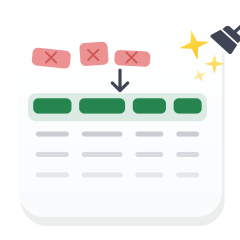
Standardize a messy header row into one clean, consistent set of names.
Related
Frequently asked questions
Does it change the data in my rows?
Only the header row is modified. Each cell below it keeps the value it showed, so from an Excel file, formulas come back as their results and formatting is dropped. Nothing is moved, merged, or deleted.
What plan do I need?
Clean Headers is available on all plans, including Free.
Can I use it with Excel?
Yes. Upload .csv, .xlsx, or .xls files. Every plan gets the same format back: a CSV as .csv, an Excel file as .xlsx.
Why do CRMs need clean headers?
Most CRM import tools match columns by exact header name. Headers with extra spaces, special characters, or mixed casing won't match. Clean headers make the import automatic.
Ready to get started?
Upload a file and run your first transformation. Free, no credit card required.