
Lead routing for HubSpot and Salesforce
Every lead worked by the right rep
Set your rules once. Each new lead goes to the rep who owns the account when the company is already in your CRM, to the rep for its territory, or to the next rep in a round robin.
From any source to a rep in HubSpot
From any source
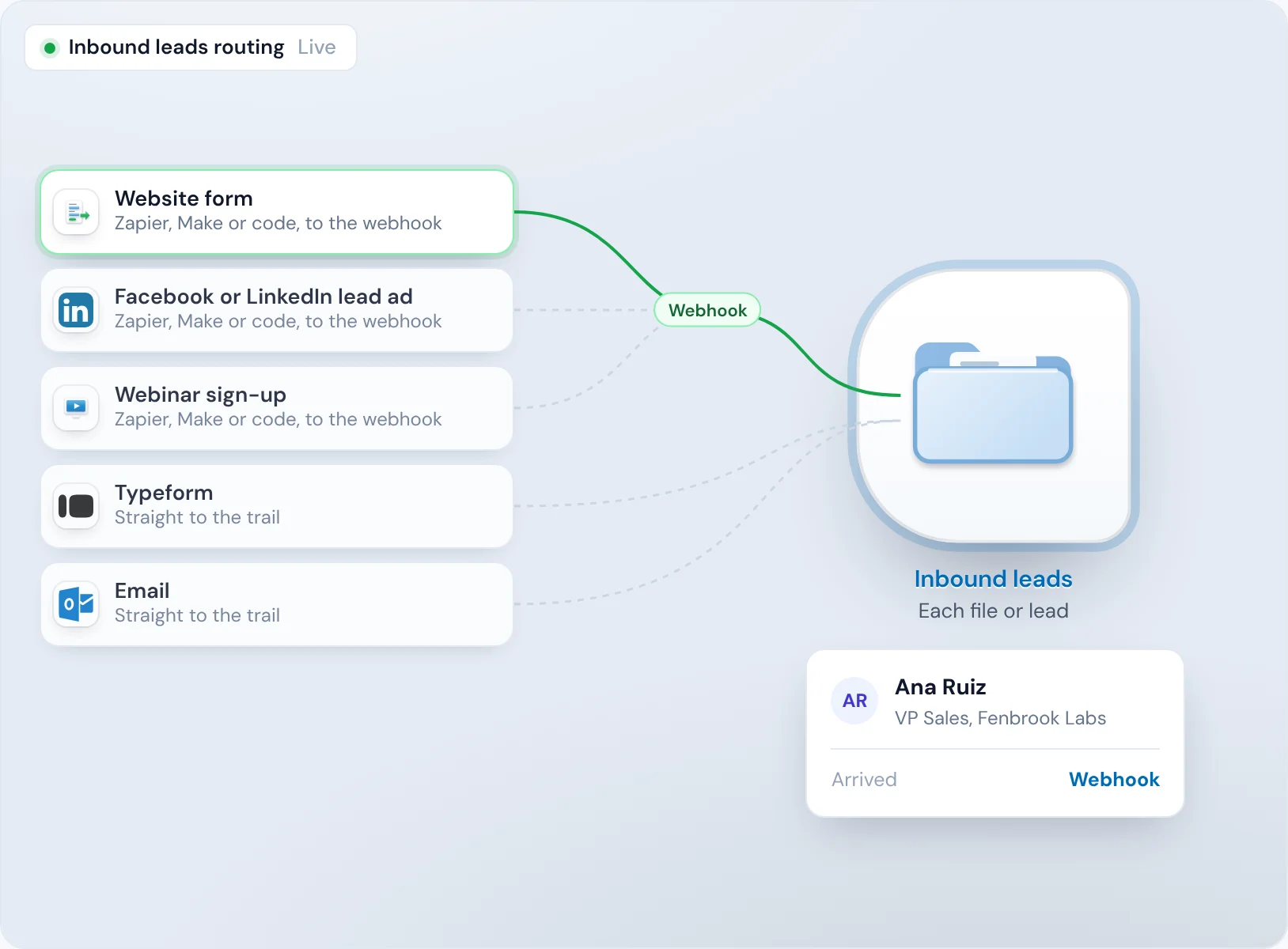
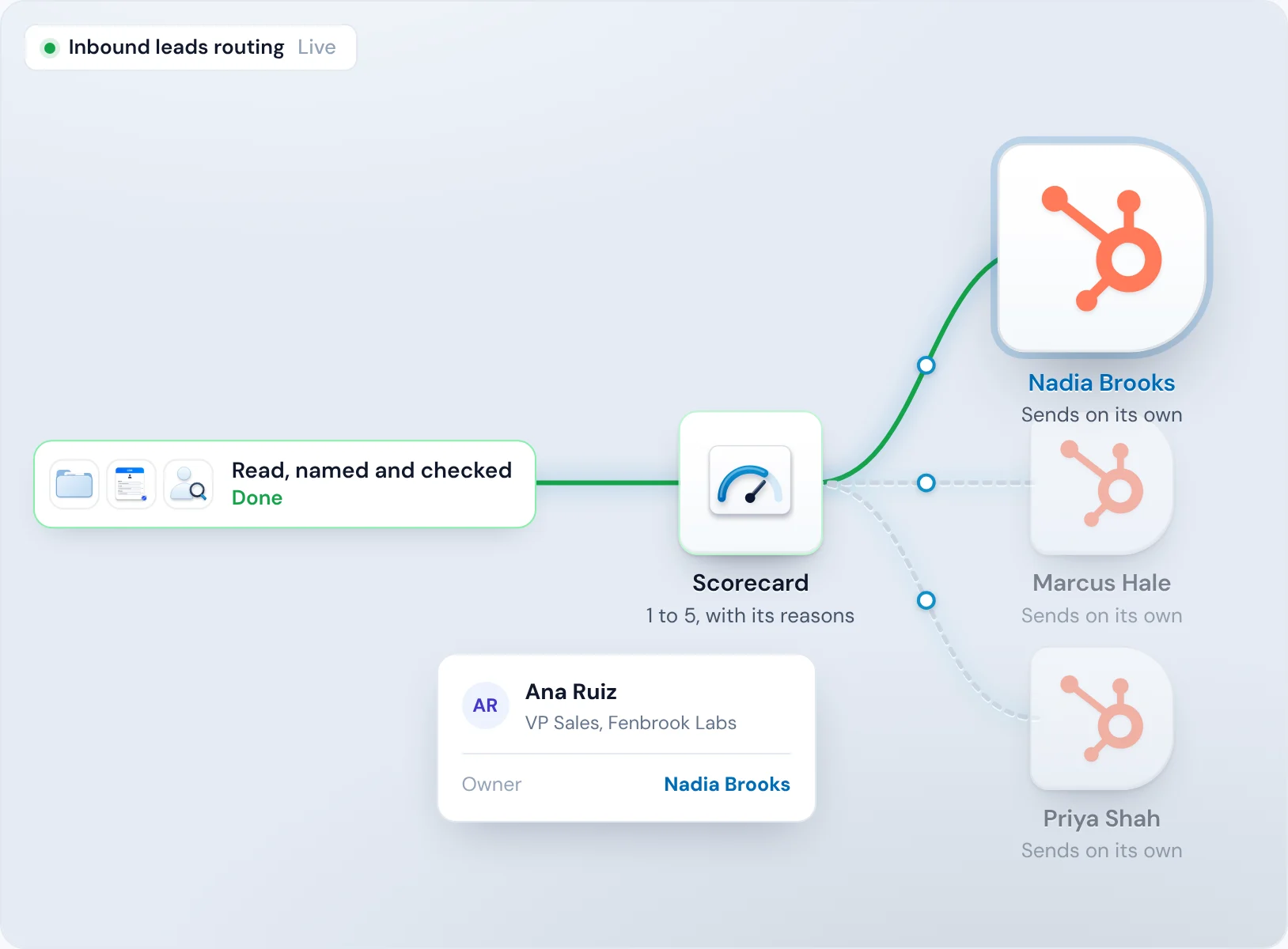
Your website form, a Facebook or LinkedIn lead ad or a webinar sign-up sends the lead through Zapier, Make or your own code to the webhook of your trail, the steps Operelio runs on each lead from a source. Typeform and email connect straight to the trail. Each lead runs on its own.
Read and named
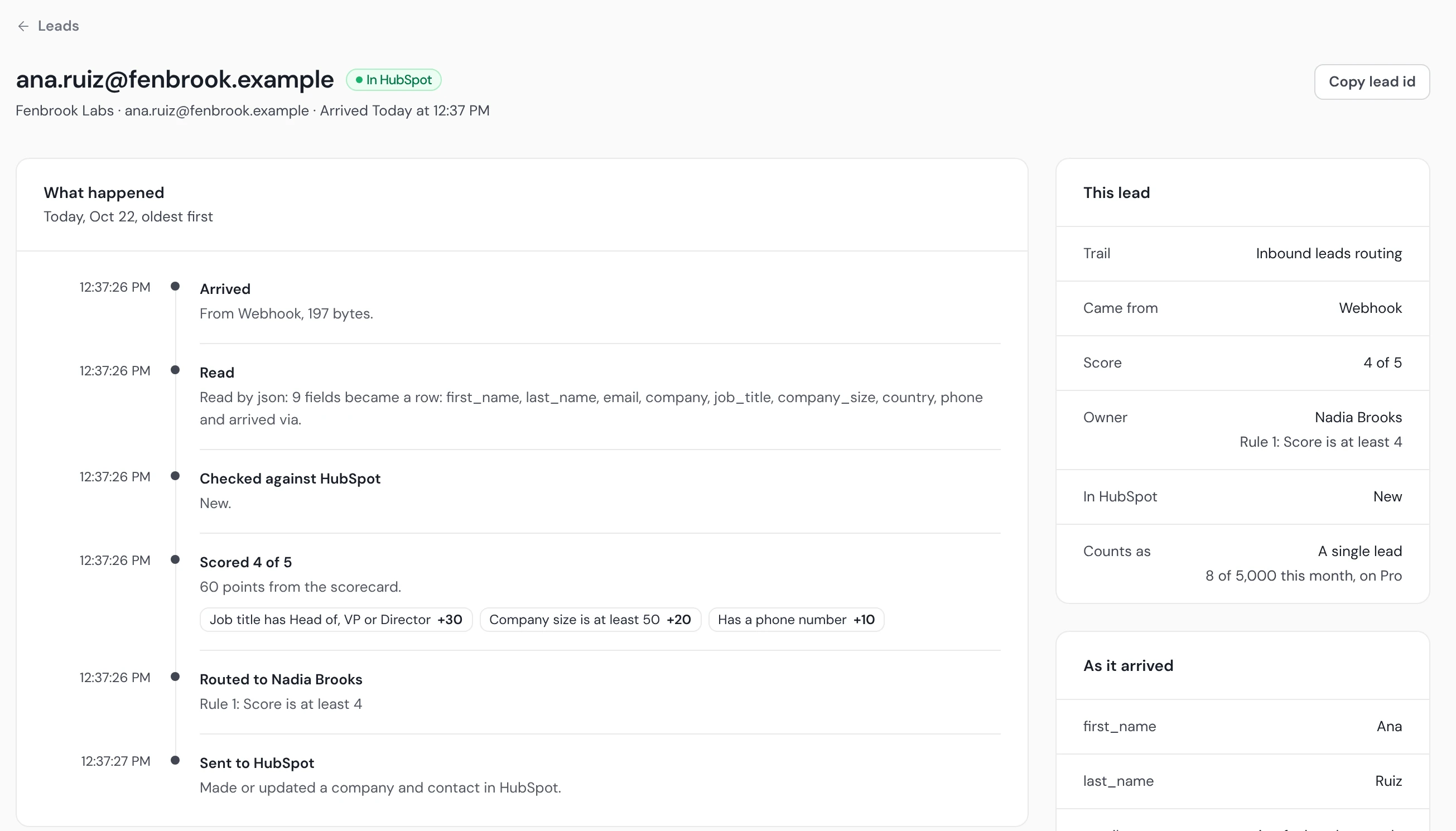
Ana's nine fields become one row, and the CRM Formatter gives each the name HubSpot uses: first and last name, email, company, job title, company size, country, phone and how she arrived.
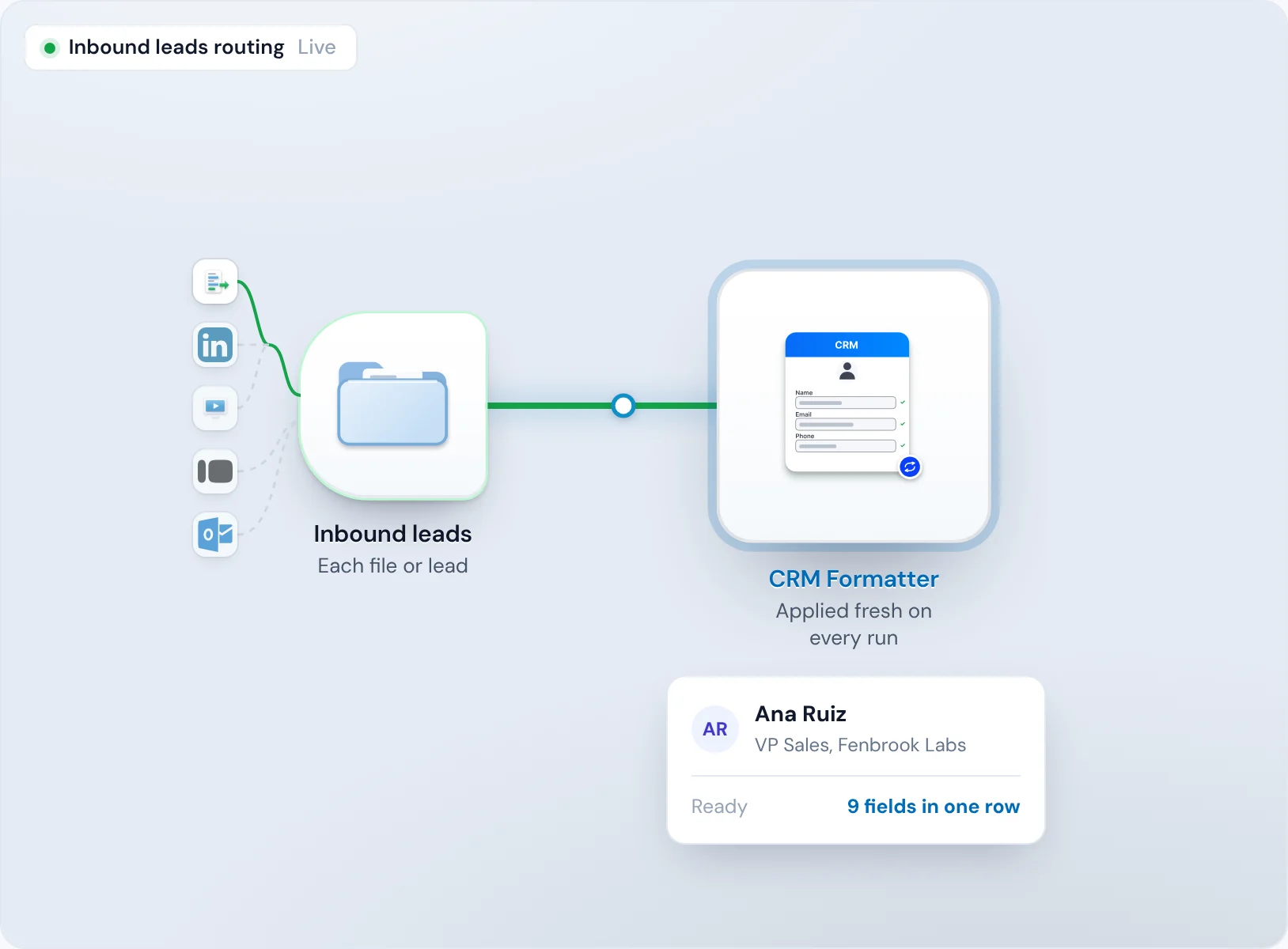
Checked against HubSpot
Operelio looks for her and her company in HubSpot before anything is sent. She's new.
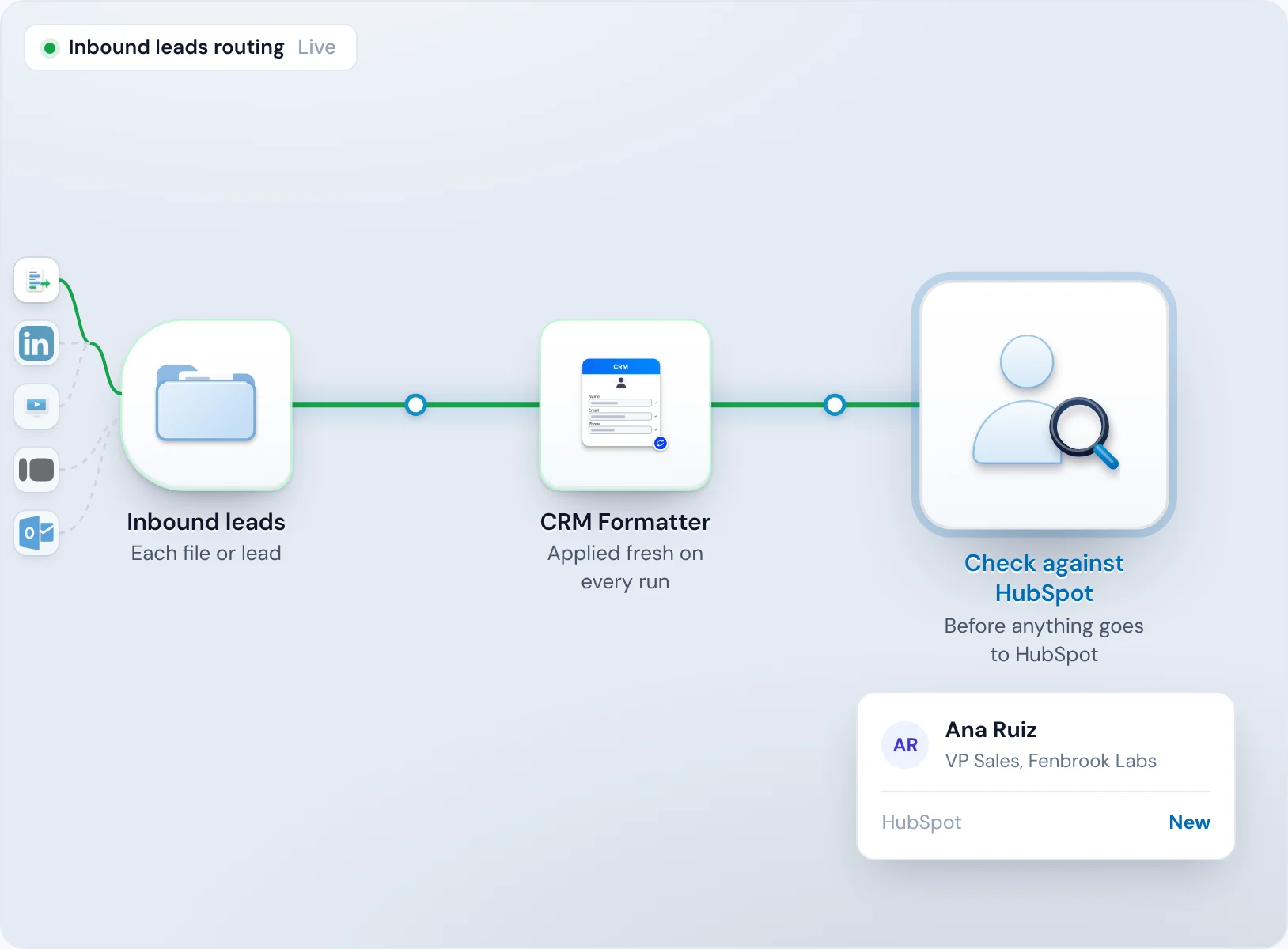
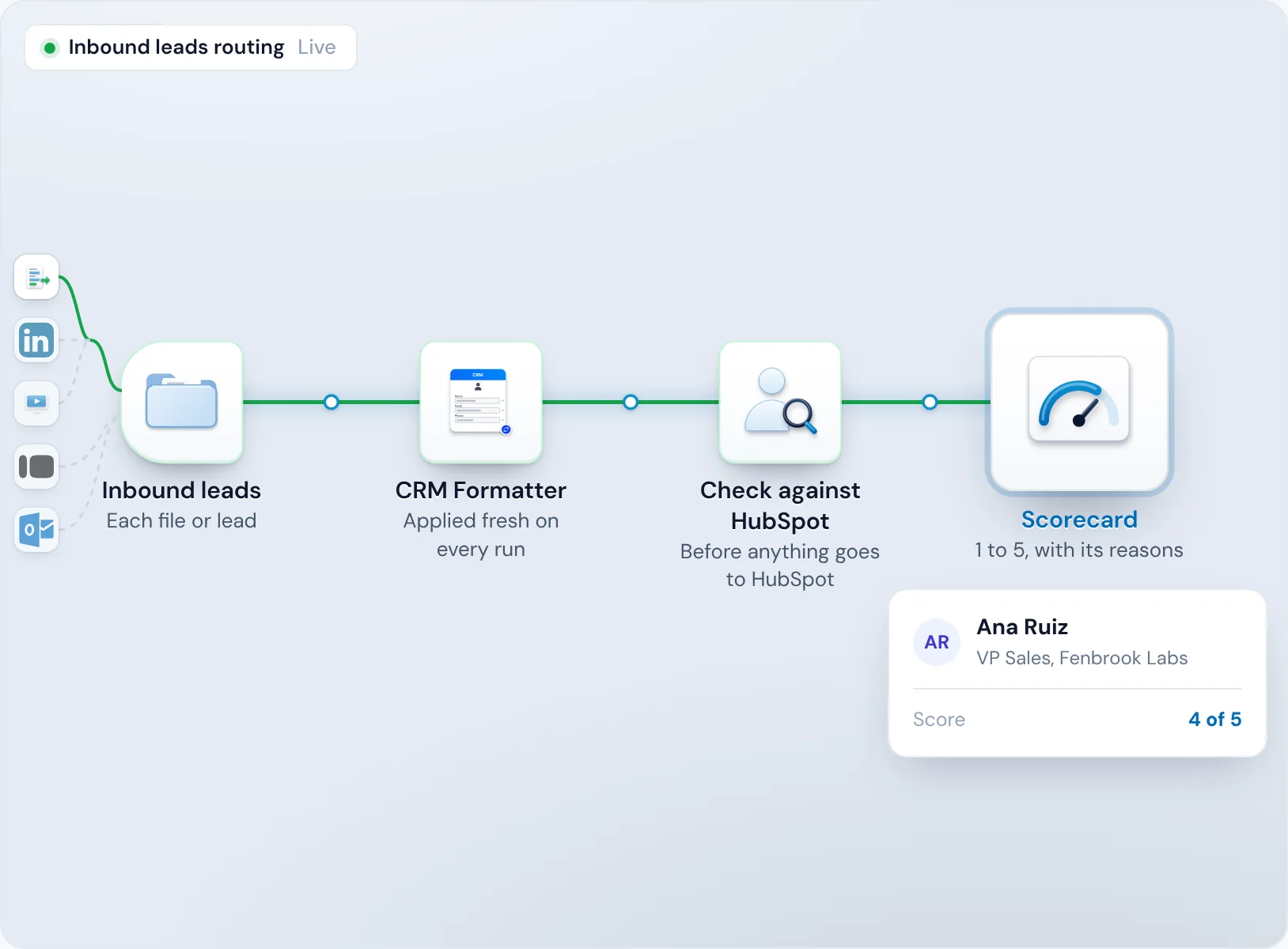
Scored
Head of, VP or Director, 50 or more staff, and a phone number: 60 points, a 4 out of 5.
Routed and sent
Rule 1, “Score is at least 4”, gives her to Nadia Brooks, and HubSpot gets a contact with Nadia as owner. The run records the rule.
Send your strongest leads to your senior reps
When a VP lands in the same queue as everyone else, your most likely buyer waits behind leads that were never going to buy, and your senior reps spend the day on the wrong calls.
Add a Scorecard and each lead is scored before it's routed, so a rule like “Score is at least 4” sends the strongest to the reps you pick.
Your points
Points for job title, company size, a phone number or a free email domain.
How-to: lead qualification →Low scores can wait
The Scorecard holds low scores in Operelio for a yes or no before anything is sent.
Keep each account with the rep who owns it
When a second rep calls a company that already has an owner, the buyer hears two pitches, the owner loses track of the account, and two reps argue over whose deal it is.
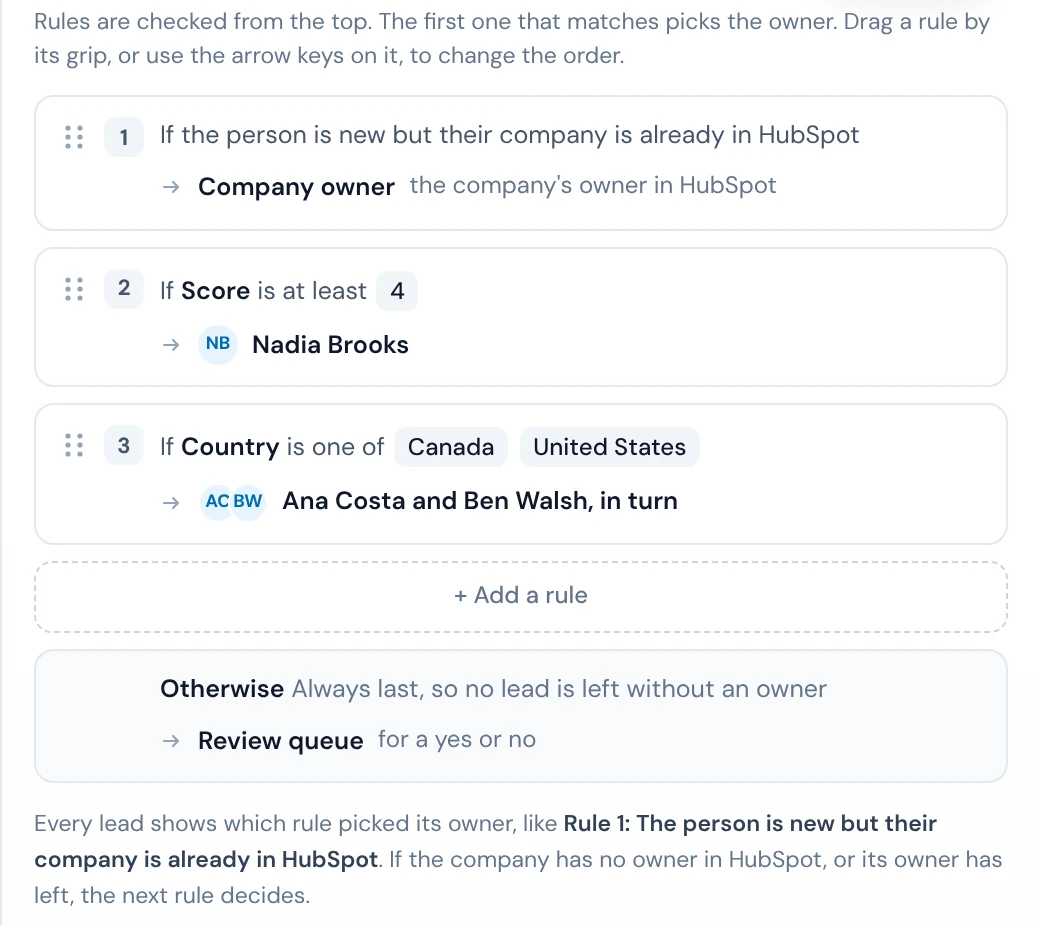
Put a Company owner rule first, and a new lead at a company already in your CRM goes to the rep who owns it.
The owner from your CRM
The CRM check finds the company, and the rule gives the lead to its owner in HubSpot or Salesforce.
When the owner has left
If the company has no owner, or its owner is inactive, the next rule decides.
Round robin and territory routing
When leads go to whoever claims them first, the quickest reps take the best ones, the rest of the team goes quiet, and new leads sit unclaimed while people work out whose they are.
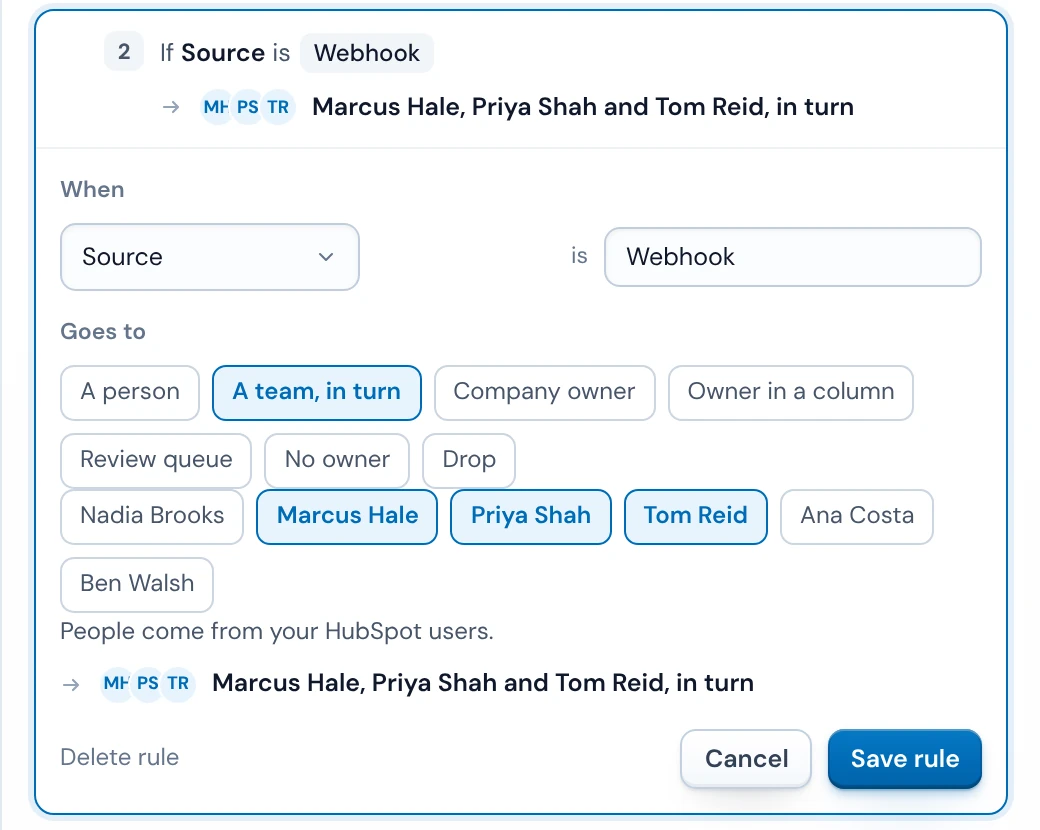
A round robin gives each new lead to the next active rep on a team, and territory rules send each country or state to its own rep or team.
Inactive reps skipped
An inactive rep is skipped, and the team keeps its place for the next lead.
How-to: round robin lead assignment →First match wins
Rules are checked from the top. Drag one to change the order.
No lead falls through your rules
A lead that matches no rule and goes nowhere is a buyer who asked to talk and never heard back, and nobody notices until it's too late.
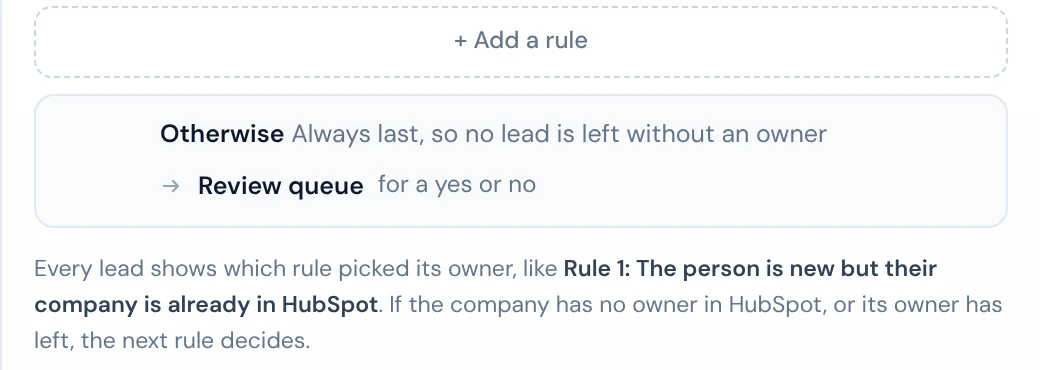
Otherwise is always last and takes every lead the other rules miss. Send those to a rep, a team in turn or the review queue.
The reason on every lead
Each lead shows the rule that picked its owner, Otherwise included, and the time of each step.
First week held
A new trail holds every lead for your yes or no for its first 7 days.
HubSpot and Salesforce lead routing

HubSpot
Company owners come from HubSpot, and each new contact is created with the rep your rules picked.

Salesforce
New leads and contacts are created with the owner your rules picked. By default, a record already in Salesforce only gets its blank fields filled.

Pipedrive
Lists are routed the same way. Single leads from forms can't go to Pipedrive yet.
Lead routing questions
What is lead routing?
Lead routing decides which rep gets each new lead, by rules such as who owns the account, where the lead is based or whose turn it is. In Operelio a trail does it for every lead that comes in.
Can a lead go to the rep who already owns the company?
Yes. The CRM check finds the company in HubSpot or Salesforce, and a Company owner rule sends the lead to that rep.
How does round robin lead assignment work?
A team in turn gives each new lead to the next active rep. Inactive reps are skipped, and the team keeps its place between runs.
Can I route by country, state or territory?
Yes, with a rule per territory, checked in order.
Which forms can send leads?
Typeform and email connect straight to a trail. Any other form or tool that Zapier or Make can read, or your own code, can send leads to the trail's webhook.
What happens to a lead no rule matches?
Otherwise decides: a rep, a team in turn or the review queue.
Does it reassign leads already in my CRM?
No. It routes new leads and lists as they come in.
Can it weight reps, cap their leads or follow working hours?
Not today. Every rep in a team in turn gets the next lead in order.
Why is my first week's lead waiting?
A new trail holds every lead for your yes or no for its first 7 days. After that, new leads go straight to their reps by your rules.
Route your next lead in HubSpot or Salesforce
Build and test your rules for free. Switching a trail on starts on Starter, at $39 a month.