
Lead capture for HubSpot and Salesforce
Every form and inbox connected once
Leads from your own forms, Typeform, webhooks and email reach HubSpot or Salesforce with name, email, company and phone in their fields, and nobody types them in.
Website form, Typeform and email into Salesforce
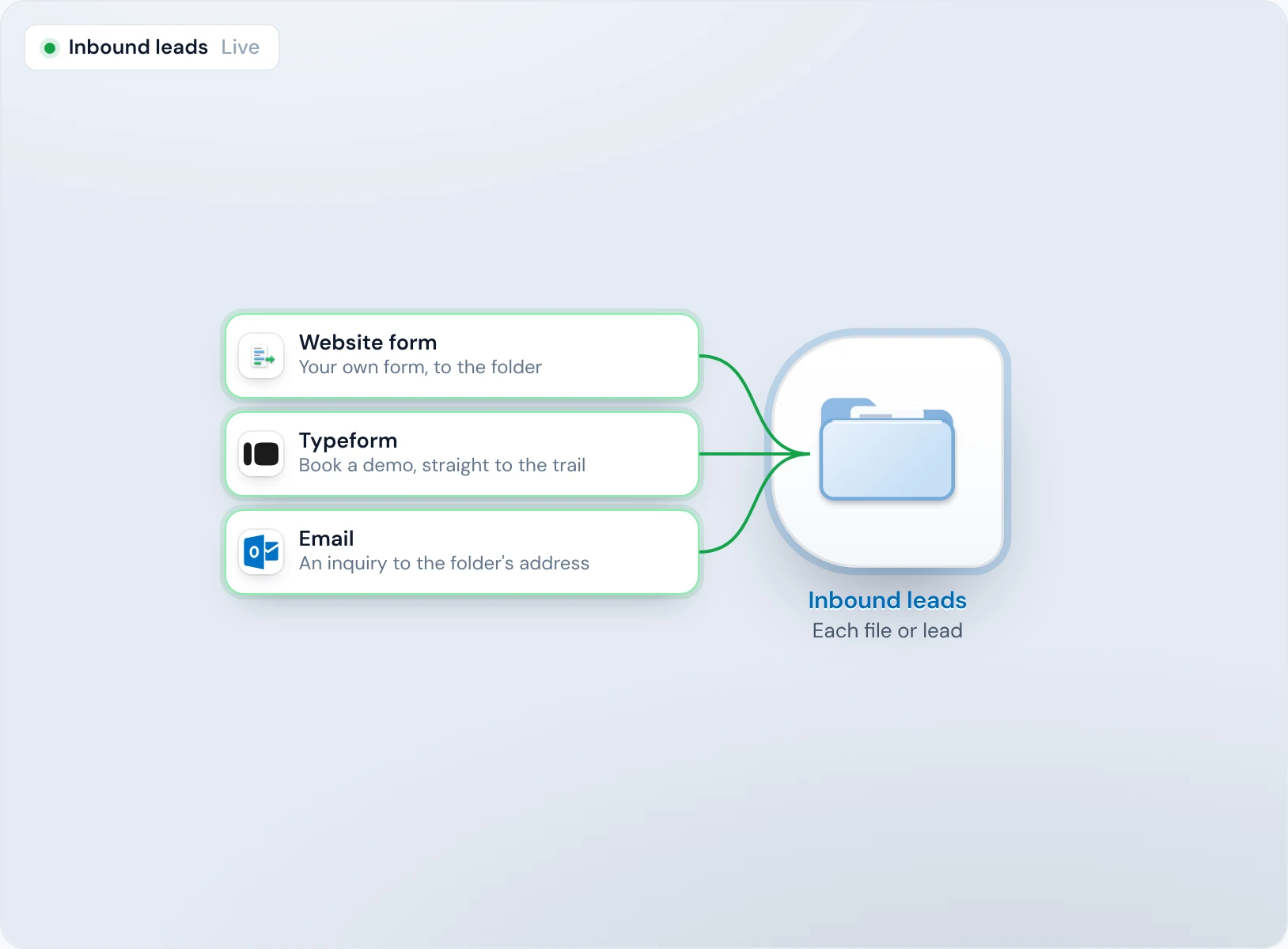
Three ways in
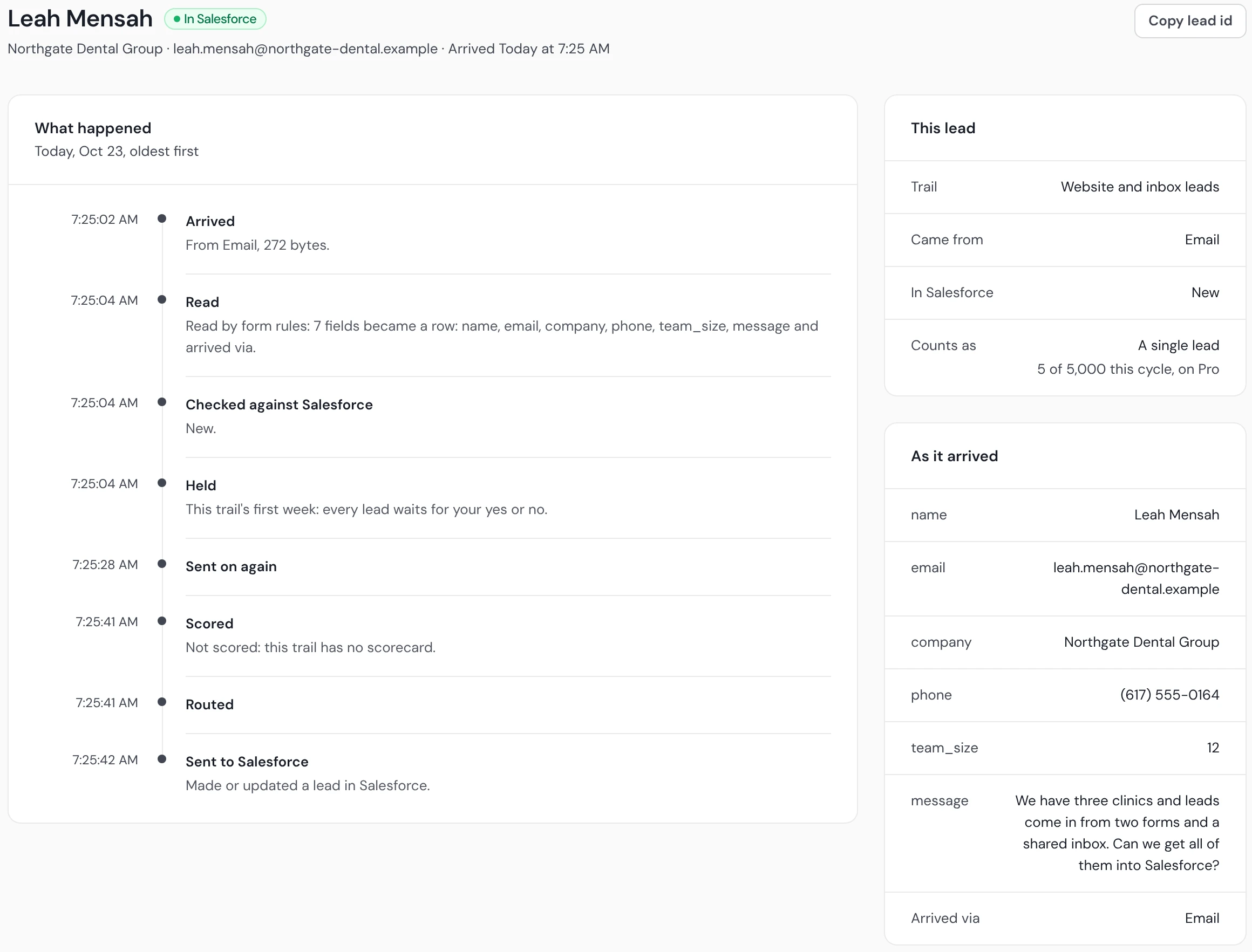
Hana Kim fills in the form on your site, Omar Weber books a demo in Typeform, and Leah Mensah emails an inquiry. All three arrive in the same folder.
Read into columns
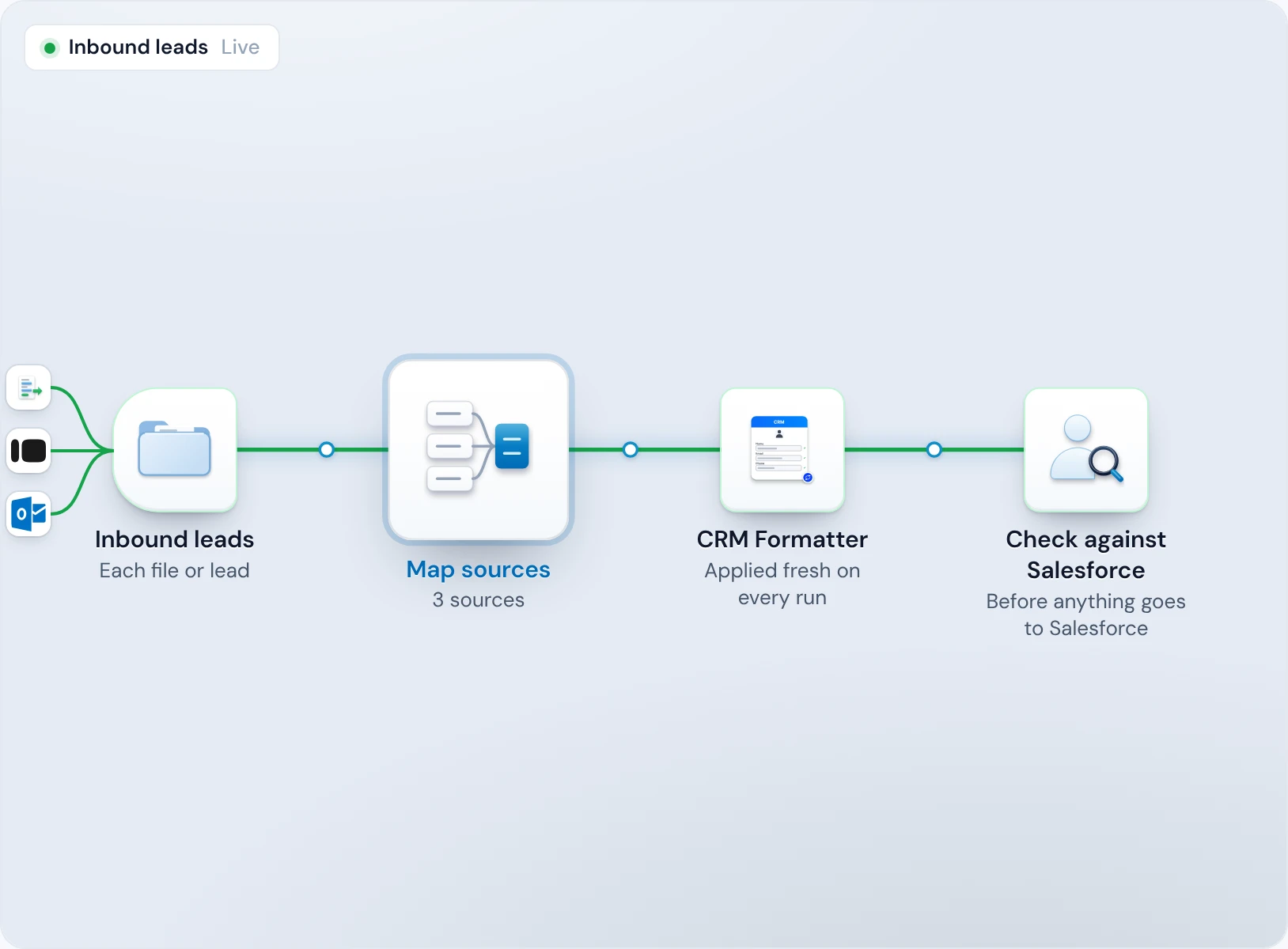
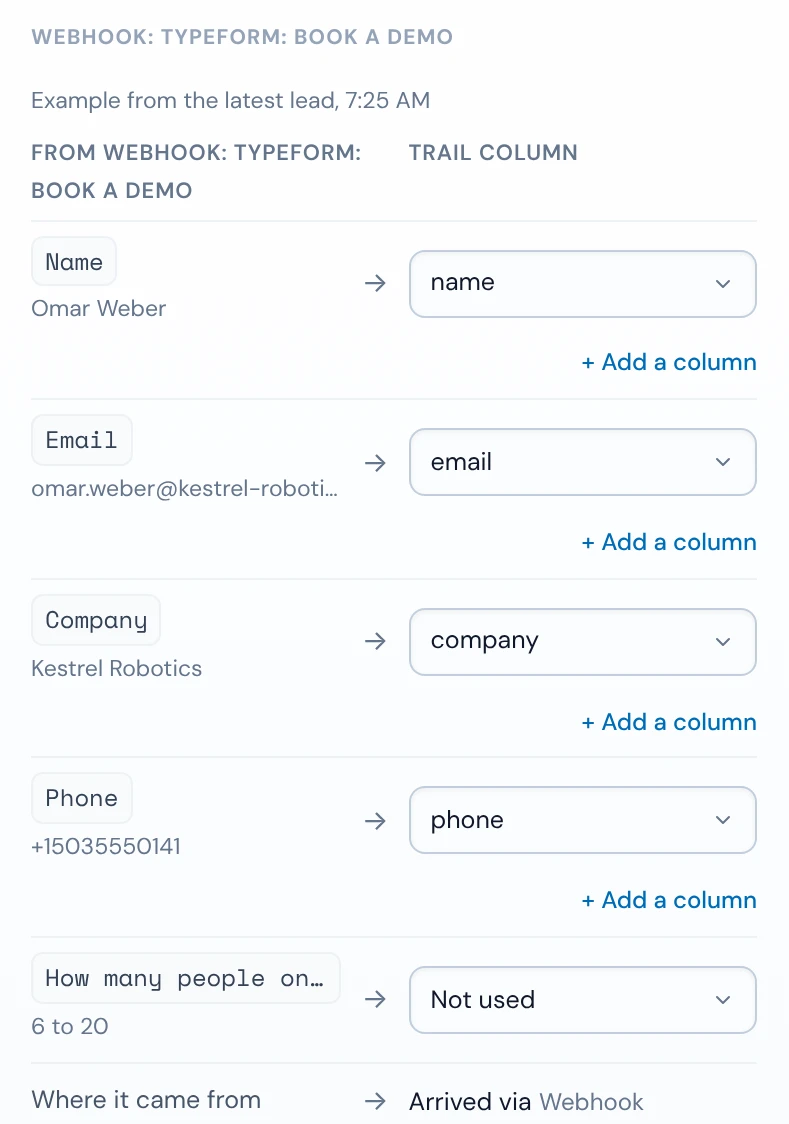
Each source's fields are mapped to the trail's columns, so Omar's Typeform question Name fills the trail's name column. Leah's email lines become fields too.
Checked, then sent
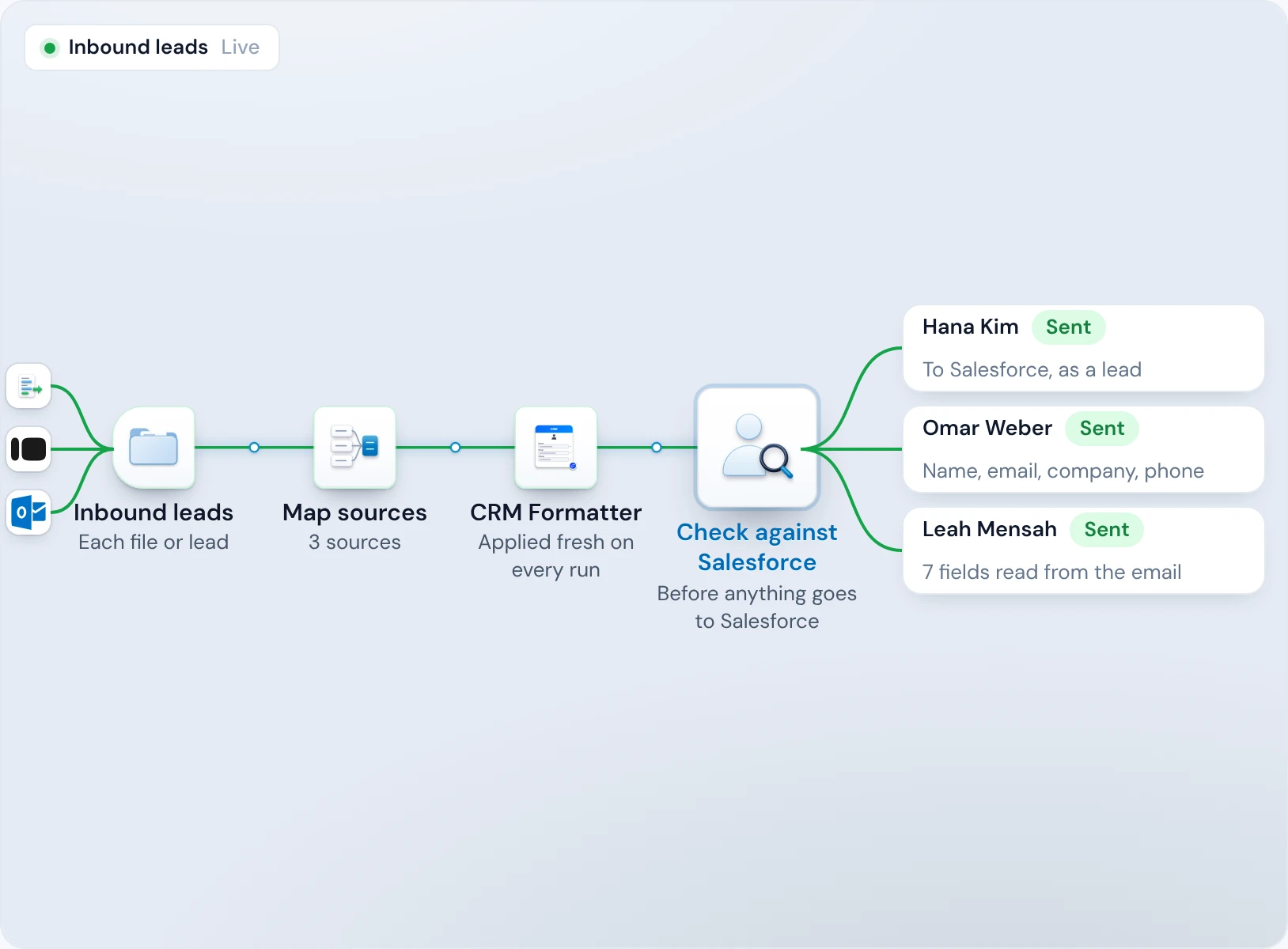
Each is matched against the people and companies already in Salesforce. In the trail's first week it waits for your yes, then it's created as a Lead.
Each with its source
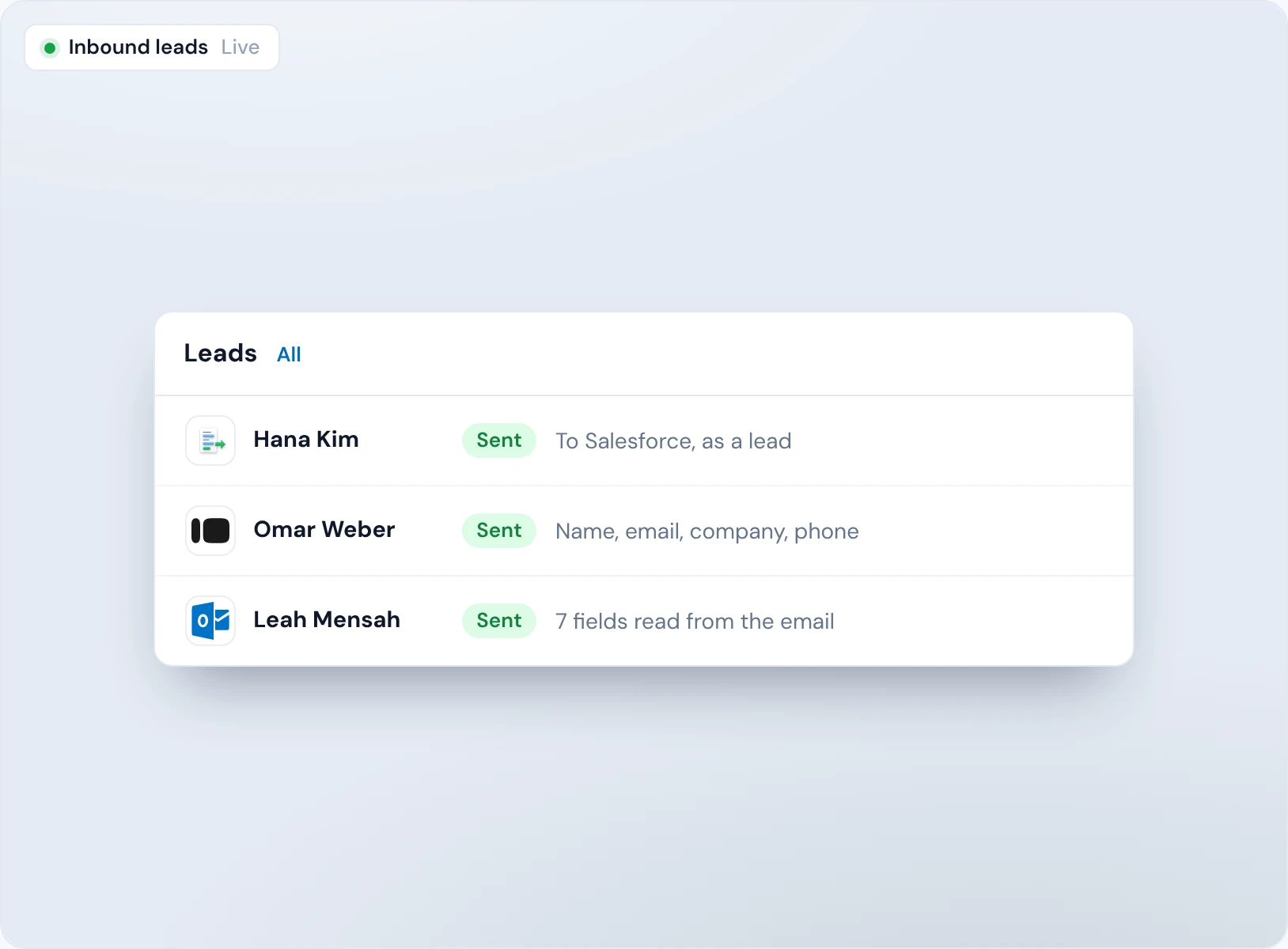
The Leads tab lists all three, each with where it came from: website form, Typeform or email.
Your website form into HubSpot or Salesforce, with no plugin or Zap
Every form plugin and connector is another bill, and another thing that stops working without telling anyone.
Make a form address on the folder, then paste the code into your page. Any field names work, and each one becomes a column. Two hidden fields turn bots away, a post that looks like spam waits in Held, and you choose which sites can send to it.
<form action="https://operelio.com/api/forms/opf_Q7mX2kR9tLw4VbN8cJp3Za" method="post"><input name="name" placeholder="Your name"><input name="email" type="email" placeholder="Email" required><input name="company" placeholder="Company"><textarea name="message" placeholder="Message"></textarea><input name="_op_website" tabindex="-1" autocomplete="off" style="position:absolute;left:-9999px" aria-hidden="true"><input name="_op_t" type="hidden"><button type="submit">Send</button></form><script>document.currentScript.previousElementSibling.elements._op_t.value = Date.now();</script>
Every other tool, through one webhook
Typeform connects directly. Facebook and LinkedIn lead ads, webinar platforms and anything else Zapier or Make can read post to the folder's webhook, and so can your own code.
A busy launch drops none
Up to 60 leads a minute and 1,000 an hour run one at a time as they arrive. Past that, they're gathered into one job every 10 minutes, so none is turned away.
Email inquiries become leads, with nobody retyping them
A lead that arrives as an email waits in someone's inbox until they have time to copy it out.
Every folder has its own email address. Send your contact form's notifications there, or give it to people to write to. An email with no file becomes one lead: when it has lines like “Company: Northgate Dental”, each fills a column; any other email keeps its text in Notes, with the sender as the lead.
Only real inquiries
Auto-replies, newsletters, list and bulk mail, and bounces are recorded as not an inquiry, and make no lead.
Files by email too
A CSV or Excel attachment lands in the folder as a file, and a PDF or Word (.docx) file is read into rows.
Whatever each form calls a field, it lands in the same column
“Phone”, “Mobile number” and “Tel” on three forms end up as three half-empty properties in your CRM.
Add Map sources to the trail, and it shows each source's fields beside the trail's columns. Map a source's fields, and every lead from it fills the same columns. Fields you don't need are marked Not used.
Typeform, signed
Each Typeform response is checked against the folder's Typeform secret before it's read, so nobody else can post as your form.
Held when it can't land
A lead that arrives with no name or email is held with the reason, such as “The form may have changed”, instead of reaching your CRM half empty.
Lists come in the same way as single leads
An event list or a partner's spreadsheet shouldn't need a separate import process and a different person to run it.
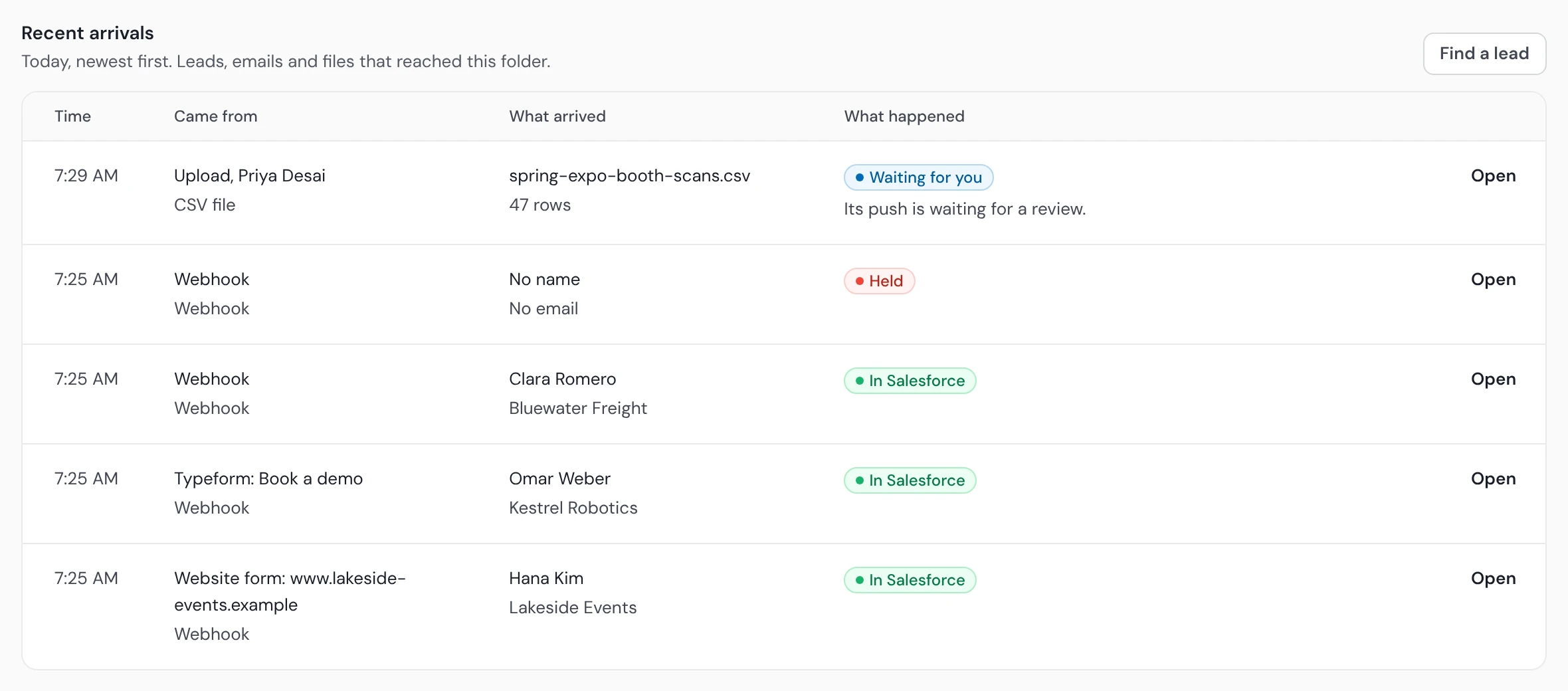
Drop a file into the same folder, or email it there. The trail runs it as one job with the same steps your single leads get, and its push waits for your review unless you've set the trail to push on its own. CRM imports shows what a list will do in your CRM before it goes in.
One place to look
Recent arrivals lists today's files and leads together, newest first, with what happened to each.
One shape for both
A file and a single lead from the same source run the trail's steps, so both reach your CRM in the same columns.
HubSpot and Salesforce lead capture

HubSpot
Single leads are sent as contacts, after a check for the person and their company.

Salesforce
Single leads are sent as Leads (or Contacts, if you choose), after the same check.

Pipedrive
Lists can be pushed to Pipedrive. Single leads can't go to Pipedrive yet: they wait in Operelio until the trail sends to HubSpot or Salesforce, for up to your plan's retention.
Lead capture questions
What is lead capture?
Lead capture is getting the details people leave on a form, a booking or an email into your CRM as a lead, so someone can follow up. Operelio does it for the forms you already have, and sends each lead to HubSpot or Salesforce with its fields filled.
Which forms and tools can Operelio capture leads from?
Operelio captures leads from a form on your own site, using the code from the folder, from Typeform directly, and from any form or tool that Zapier or Make can read, through the folder's webhook. Your own code can post to the webhook too.
Do I need Zapier to capture leads?
You don't need Zapier for your own site's forms, Typeform or email inquiries, because Operelio takes those directly. Zapier or Make is only needed for tools that can't send a webhook themselves.
What happens if a form changes its fields?
When a form starts sending different field names, Operelio maps them for you if the trail has Map sources and every column is clear. Otherwise its leads wait until someone maps the new fields or runs them as they are. A lead that arrives with no email and no name is held with the reason, and never reaches your CRM.
How are spam form submissions kept out of my CRM?
Two hidden fields on the form turn bots away, and a post that looks like spam waits in Held instead of reaching your CRM. You also choose which sites can send to the form.
What happens when a launch sends hundreds of leads at once?
Up to 60 leads a minute and 1,000 an hour run one at a time as they arrive; past that, they're gathered into one job every 10 minutes, so none is turned away.
Can I try lead capture for free?
You can build a lead capture trail and test it on a real file on the Free plan. Capturing leads from forms, Typeform and email needs a live trail, which starts on Starter.
Related use cases

Connect your first form today
Build the trail for free and test it on a real file. Switching it on starts on Starter, at $39 a month.