
Lead management software for HubSpot and Salesforce
Every lead in one list, and none lost
Leads from your forms, ad platforms, webinars and inbox land in one list. Each is checked against HubSpot or Salesforce, then sent, held for your yes, or kept with the reason it can't go on.
Three sources, one list, three endings
Three sources
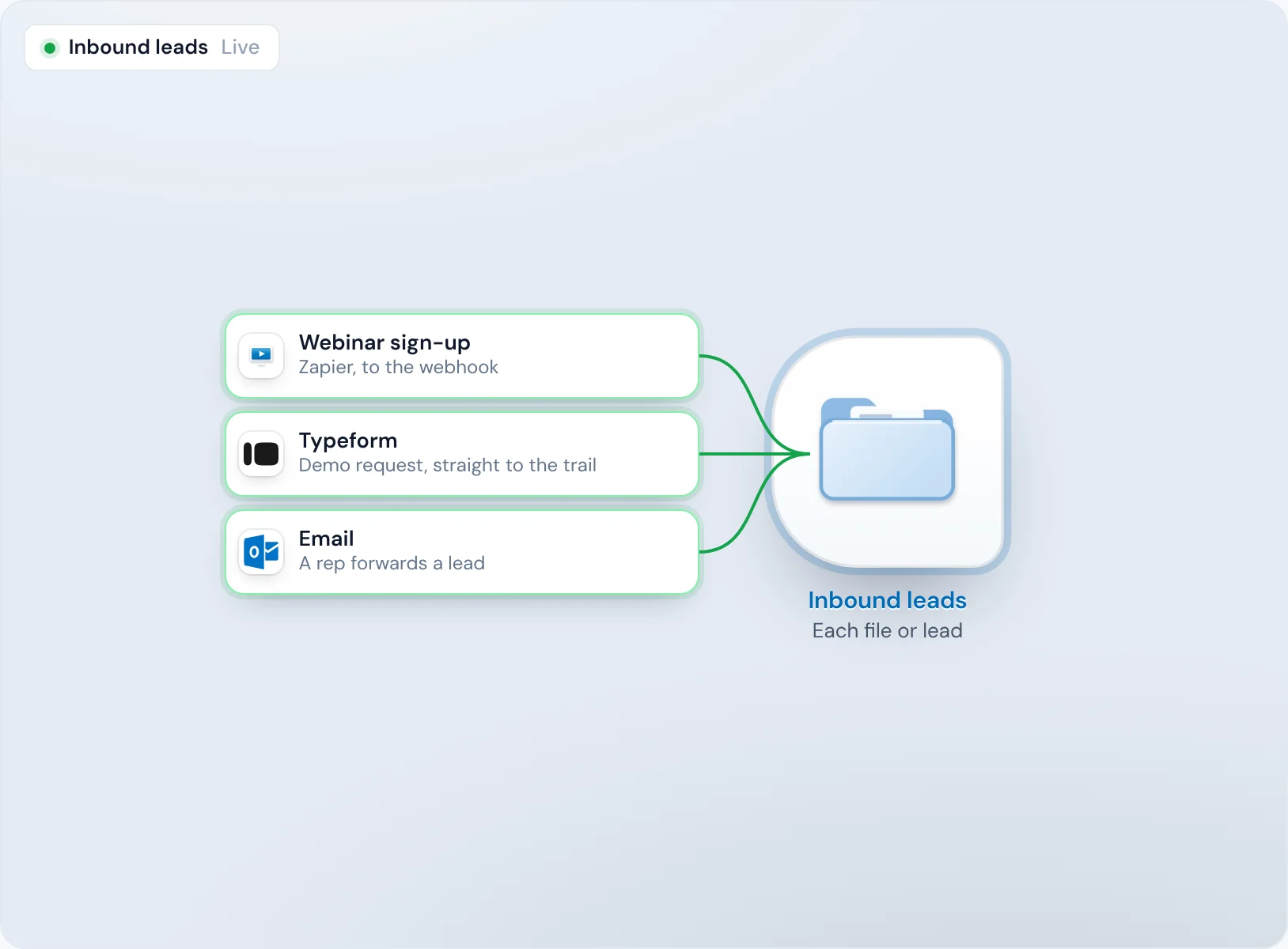
A webinar sign-up arrives through Zapier, a demo request comes from Typeform, and a rep forwards an email from their inbox. All three reach the same trail, the steps Operelio runs on every lead from your sources, and each runs on its own as it arrives.
Read and checked
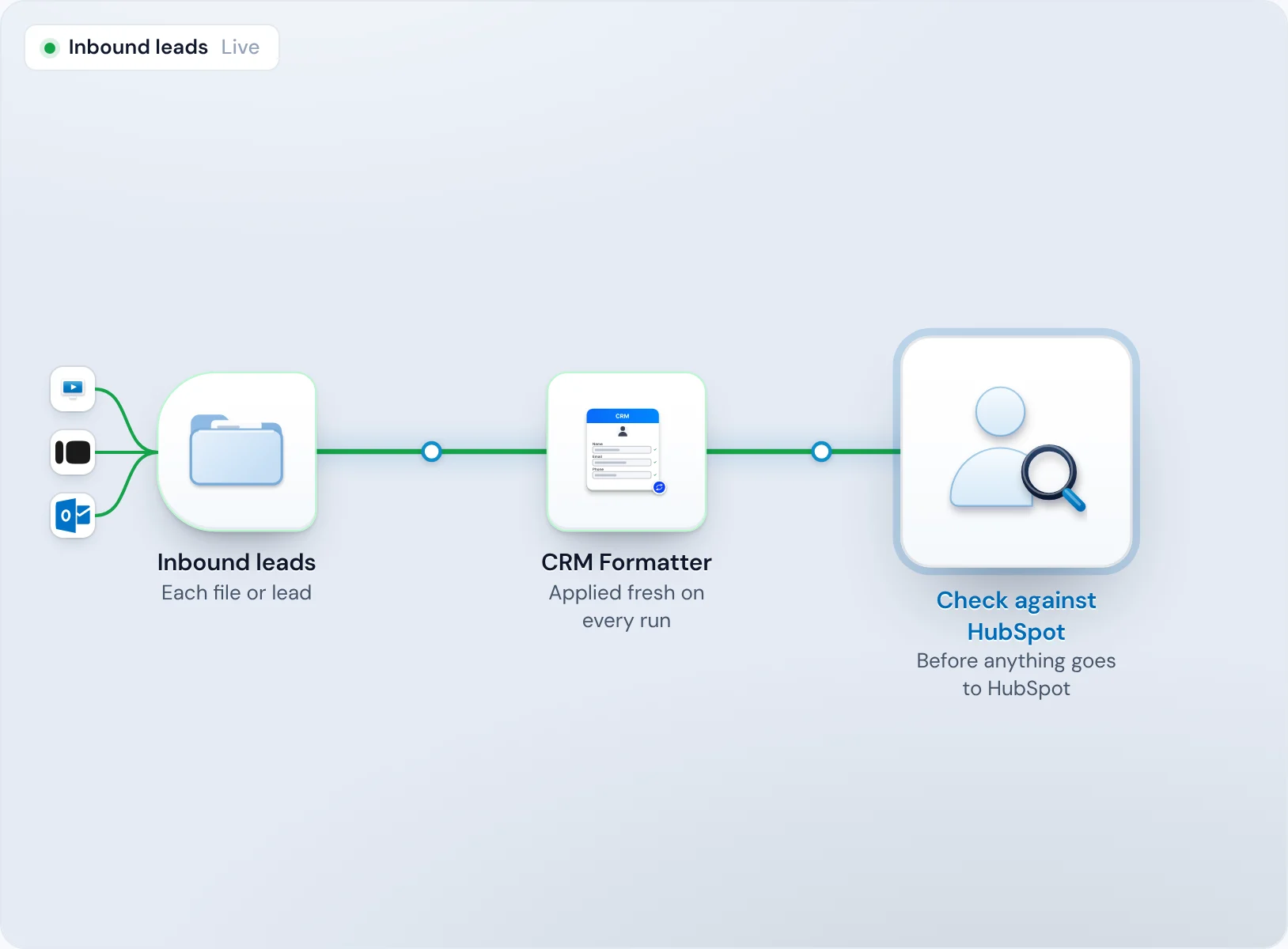
Each one becomes a row with the fields your CRM uses, and Operelio looks for the person and the company in HubSpot before anything is sent.
Three endings
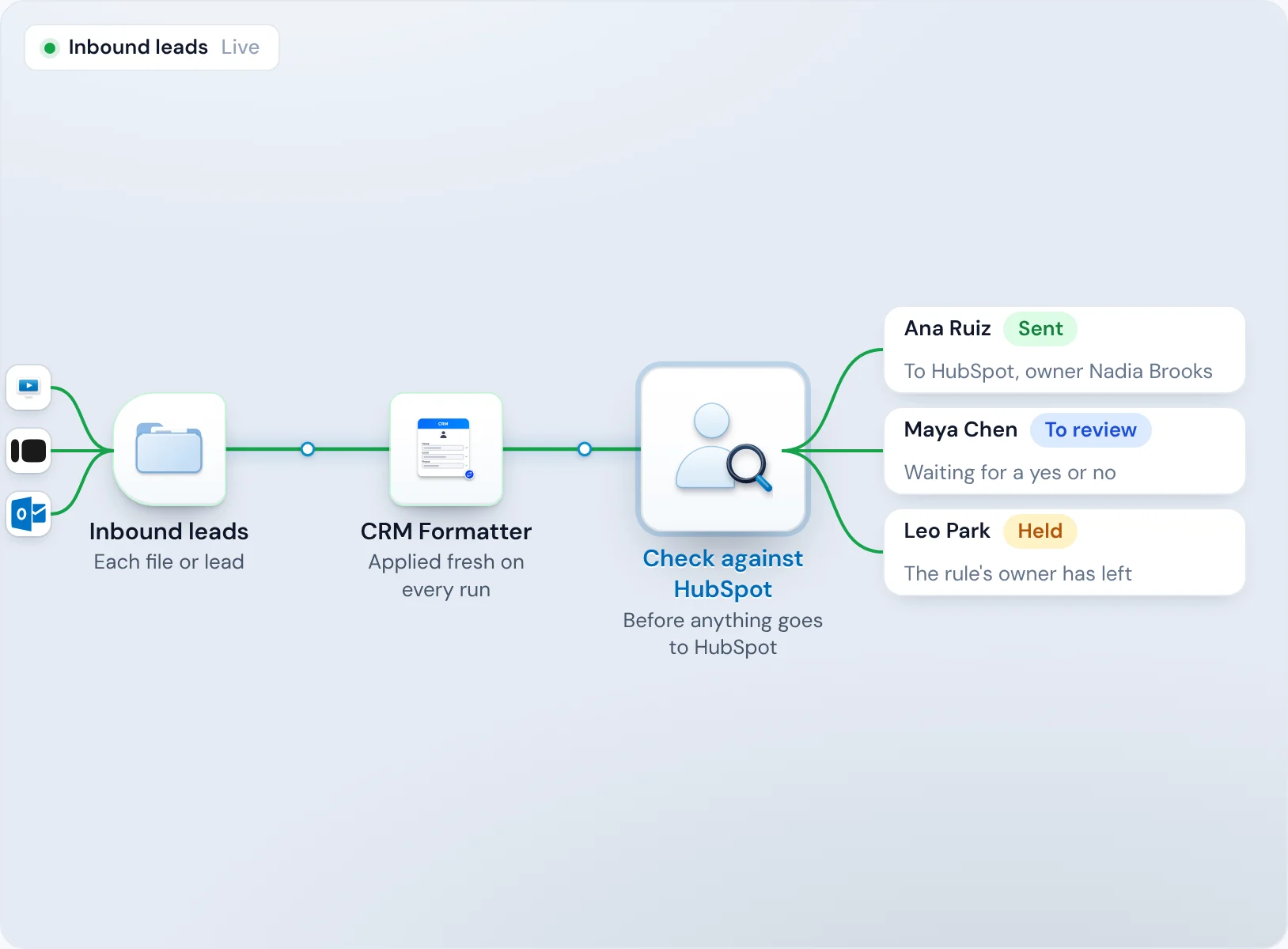
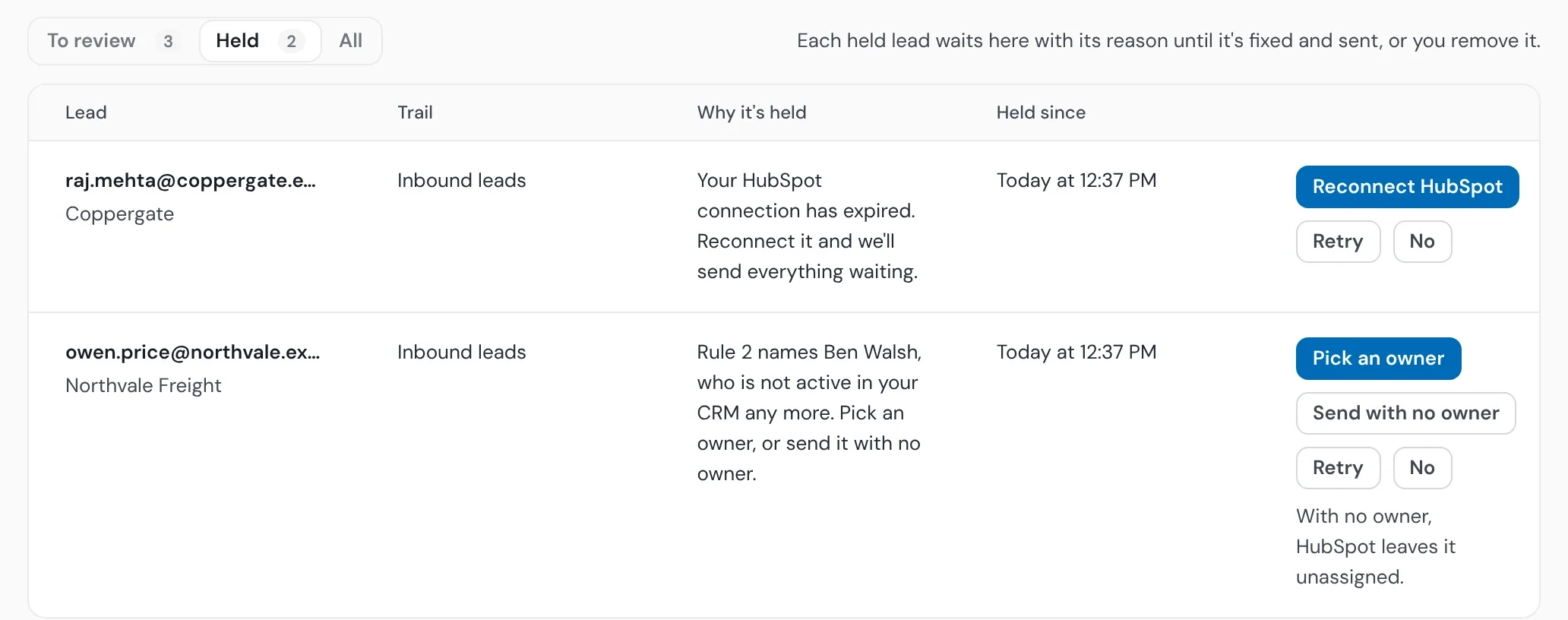
The demo request is sent to HubSpot with its owner. The webinar sign-up waits in To review for a yes or no. The forwarded lead is held, because the rule names an owner who has left.
One list
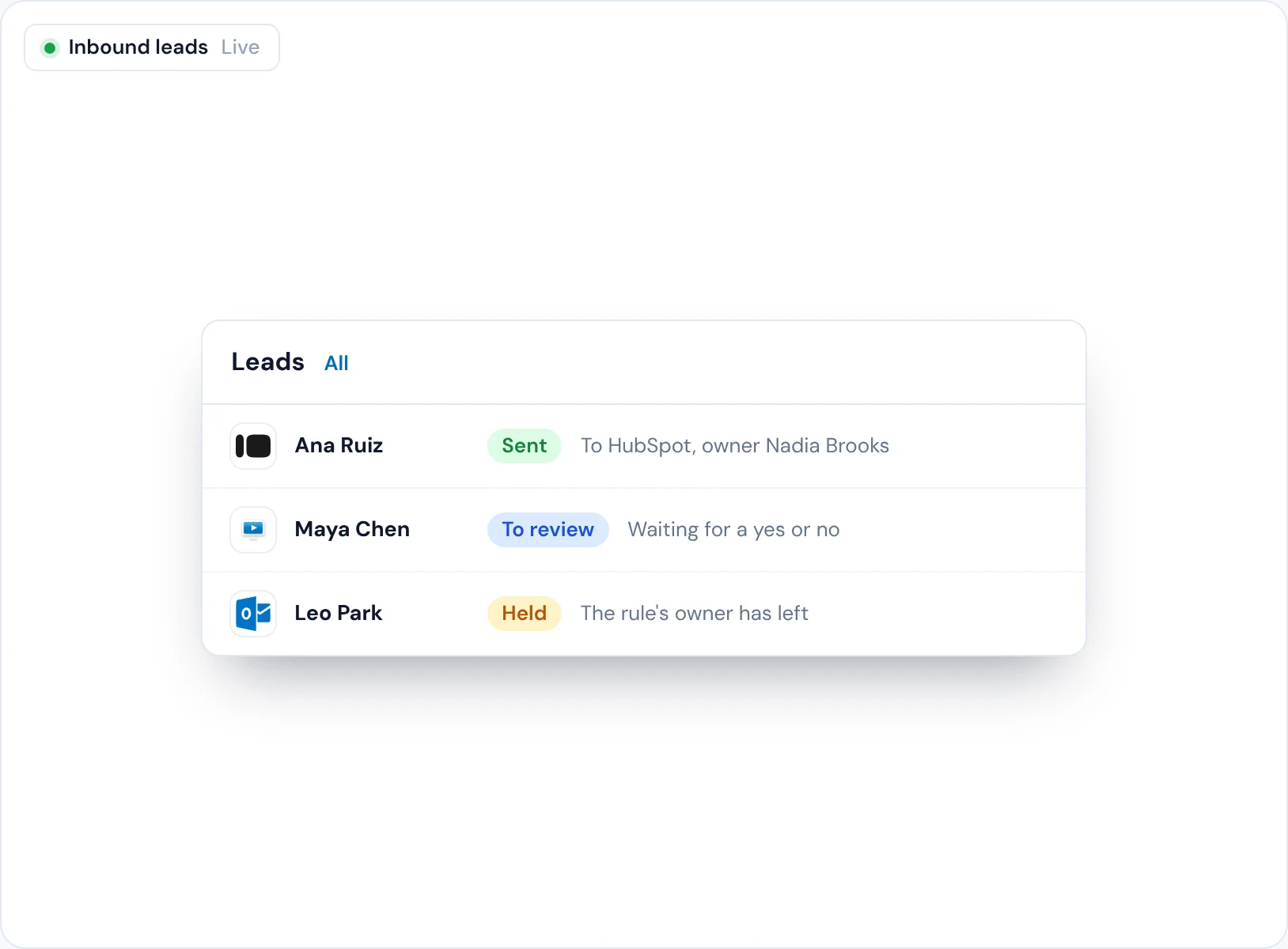
The Leads tab shows all three, each with where it is now.
Every lead in one list, whatever sent it
When leads land in five inboxes and three spreadsheets, nobody knows how many came in this week, and some are never opened.
Webhooks bring leads in from any tool Zapier or Make can read, or from your own code, and Typeform and email have direct connections of their own. Whatever the source, the Leads tab lists every lead that arrives on its own, from every trail.
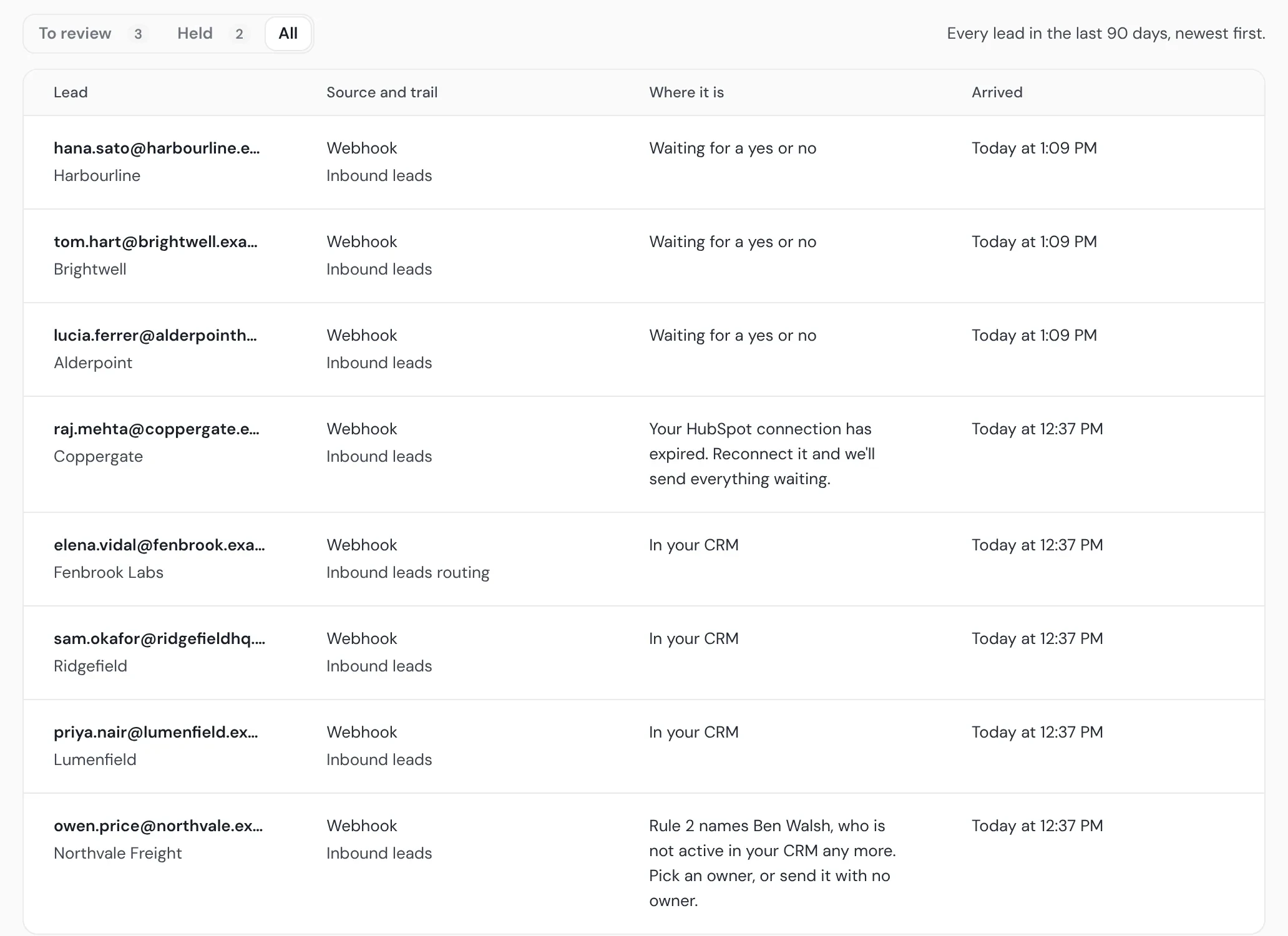
Find any lead
Search by a whole email address, an @domain or part of a name, within your plan's retention.
Files too
A list in a file runs through the same trail as one job, with a page of its own for every run.
No lead goes missing
A lead that vanishes is a buyer who asked to hear from you and never did, and no report shows the gap.
Every lead is sent, waiting for a yes or no, or held with its reason. Leads that arrive while a trail is off, or after your plan's jobs run out, wait for you until your plan's retention: 30 days on Starter and Pro, 90 on Agency.
Held, with the fix
A CRM that refused a lead, a connection that expired, or an owner who has left. Each held lead says which, and what to do: Reconnect HubSpot, Pick an owner or Retry.
Told when it matters
A held lead puts a note in Operelio and sends an email, at most once an hour for the trail. Leads waiting a day for a yes or no get a daily note.
Only the leads you want reach your CRM
Test fills and half-empty forms in the CRM skew every report and cost reps their mornings.
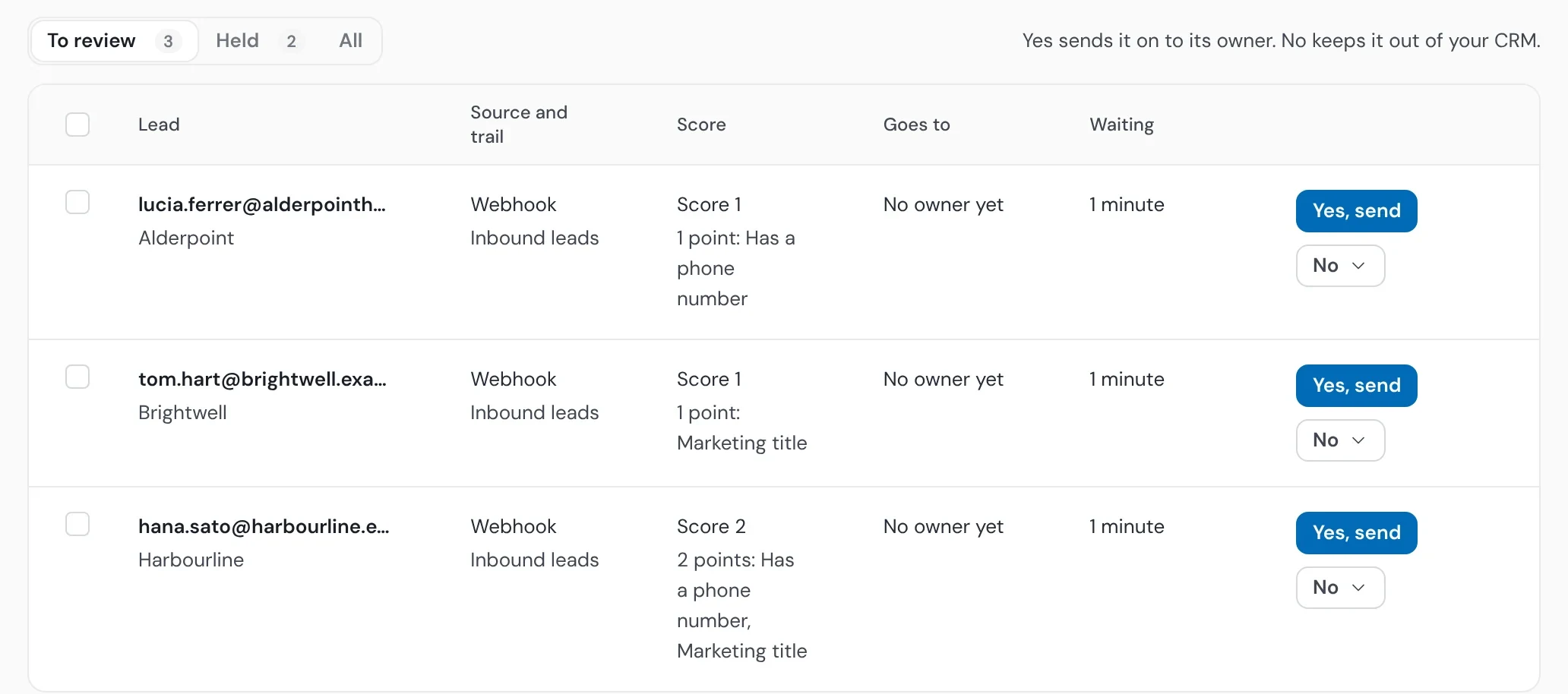
Each lead is checked against HubSpot or Salesforce before it's sent. Leads your scorecard or rules send to review wait in To review for a yes or no, and in a trail's first week every lead does.
Decide in bulk
Pick up to 100 waiting leads and send them all, or drop them, in one go.
Kept, never sent
Keep in Operelio holds a lead on file without ever sending it to your CRM.
What happened to any lead, at a glance
When a rep asks where Tuesday's lead went, someone spends an hour searching inboxes and form exports for the answer.
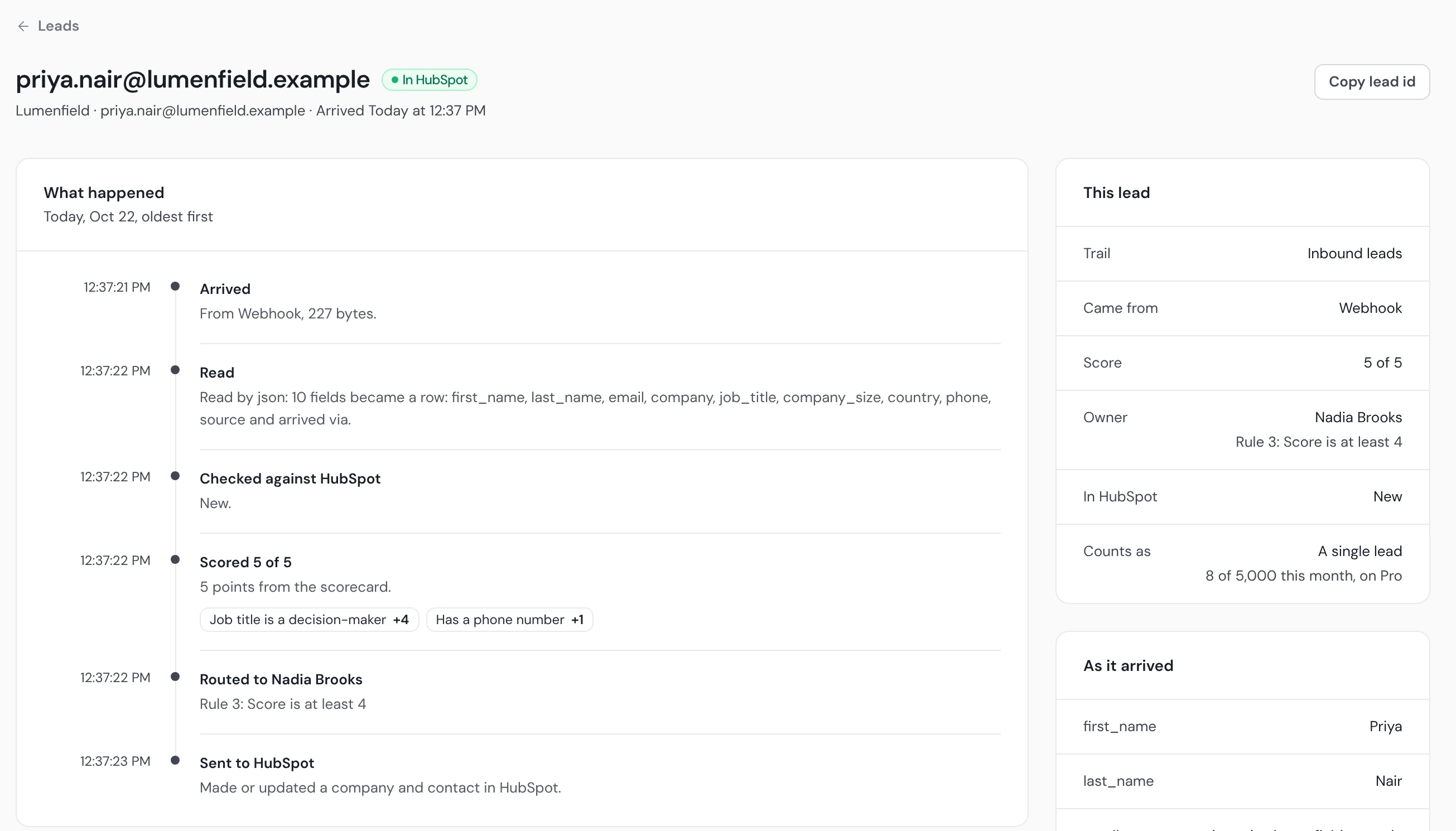
Each lead has its own page. It lists every stage: when it arrived and from where, how it was read, what the CRM check found, its score, its owner, and when it was sent or why it was held.
As it arrived
The page shows the fields exactly as they came in, until your plan's retention.
Why it scored what it did
The page shows the lead's score out of 5, and its timeline lists the points that made it.
Lead management for HubSpot, Salesforce and Pipedrive

HubSpot
Each lead is checked against HubSpot contacts and companies before it's sent, and a contact already there keeps its owner.

Salesforce
You choose whether a new person arrives as a lead or a contact. A record already in Salesforce only gets its blank fields filled.

Pipedrive
Lists go to Pipedrive. Single leads from forms are held in Operelio, since they can't be sent to Pipedrive yet.
Lead management questions
What is lead management software?
It collects your leads from every source in one place, checks them, decides what happens to each and keeps a record of it. In Operelio a trail does that for every lead and list you send it, and pushes them into HubSpot or Salesforce.
Is Operelio a CRM?
No. It sits in front of your CRM and decides what reaches it. Your reps keep working in HubSpot or Salesforce.
Which sources can send leads?
Three kinds: webhooks from Zapier, Make or your own code; direct connections for Typeform and email; and files, by upload, email or the API.
Can I approve leads before they reach my CRM?
Yes. Leads your scorecard or rules send to review wait for a yes or no, and every lead does in a trail's first week.
What happens when my plan's leads run out?
Each plan includes a number of single leads a month: the ones that arrive one at a time, from a form, a webhook or an email. Past that, each 10 single leads, or part of 10, use one job credit from your plan. If your job credits run out too, new leads wait in Operelio for your plan's retention: 30 days on Starter and Pro, 90 on Agency.
How do I find one lead?
Search the Leads tab by email, @domain or name, within your plan's retention. Each lead's page shows every stage it went through.
Does it work with Pipedrive?
Lists do. Single leads from forms go to HubSpot and Salesforce; on Pipedrive they're held in Operelio, since they can't be sent there yet.
How much does it cost?
Building and testing a trail is free. Switching one on starts on Starter, at $39 a month.
Related use cases

Bring every lead into one list
Build and test a trail for free. Switching a trail on starts on Starter, at $39 a month.