
Lead scoring software for HubSpot and Salesforce
Know which leads are worth a call
Every lead gets a score from 1 to 5 from rules you set, with the reason beside it, and each score decides what happens next in HubSpot or Salesforce.
Automated lead qualification for every inbound lead
Arrives
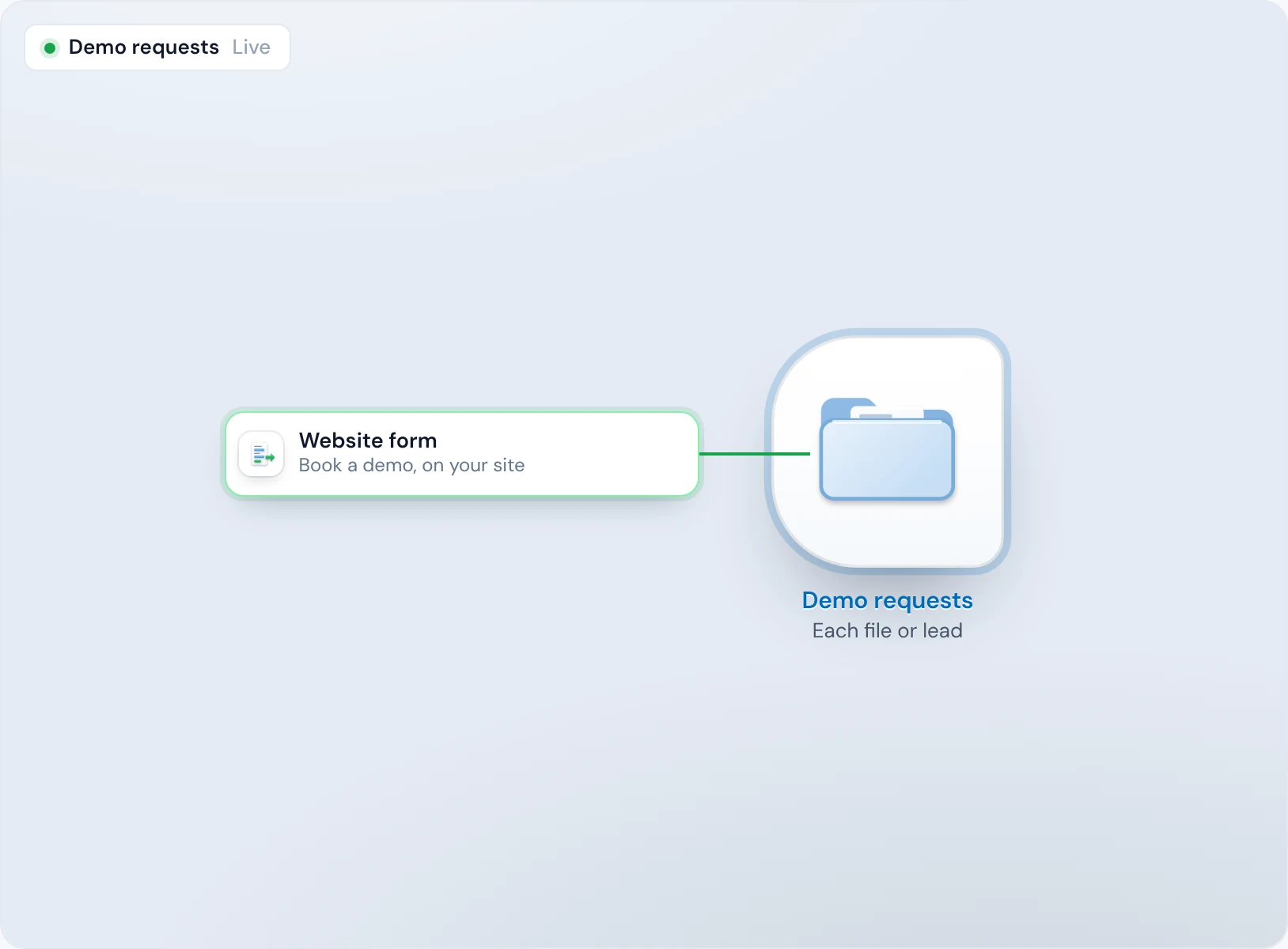
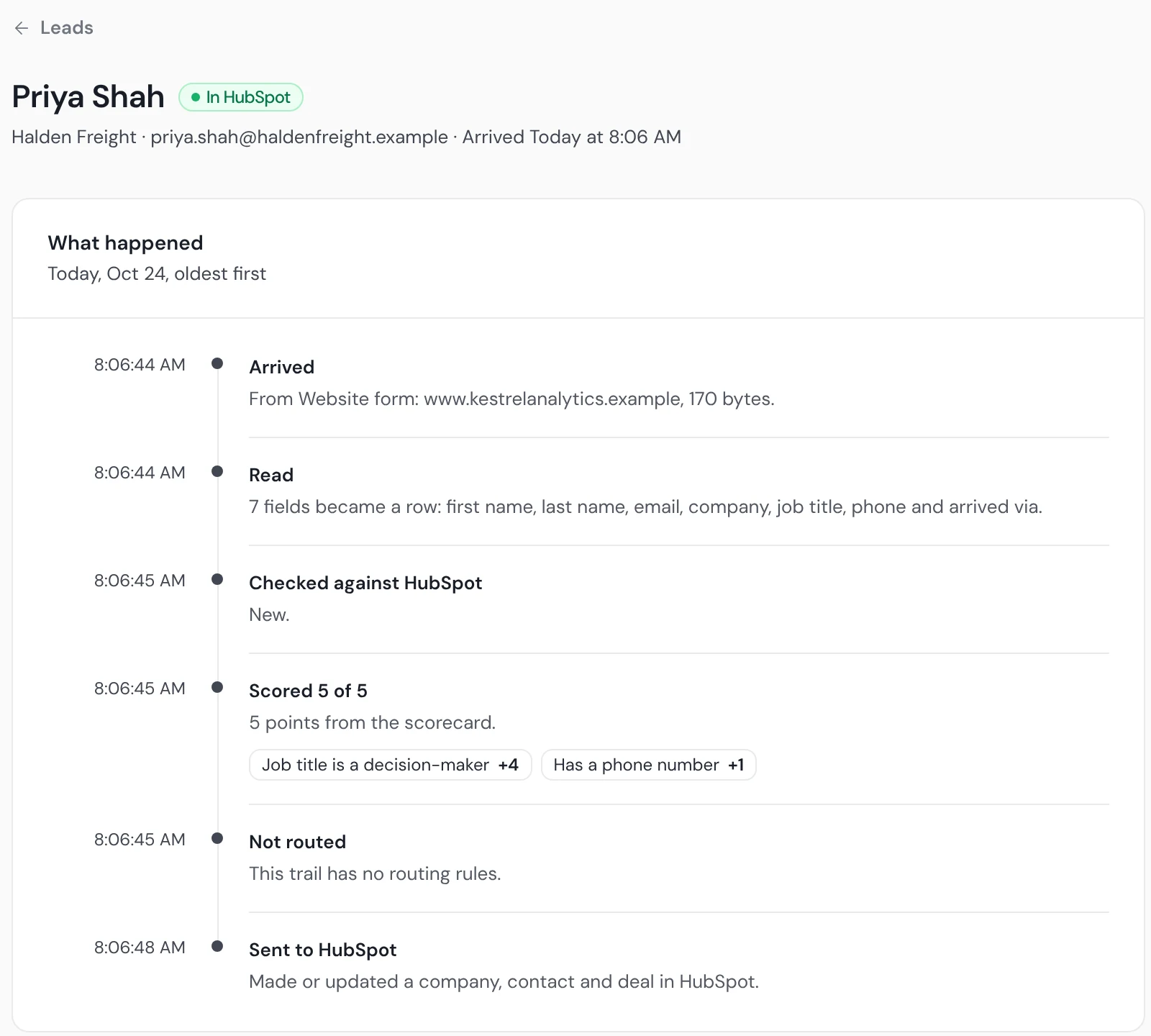
Priya Shah fills in the demo form. She's Head of Operations, on her work email, with a phone number.
Scored
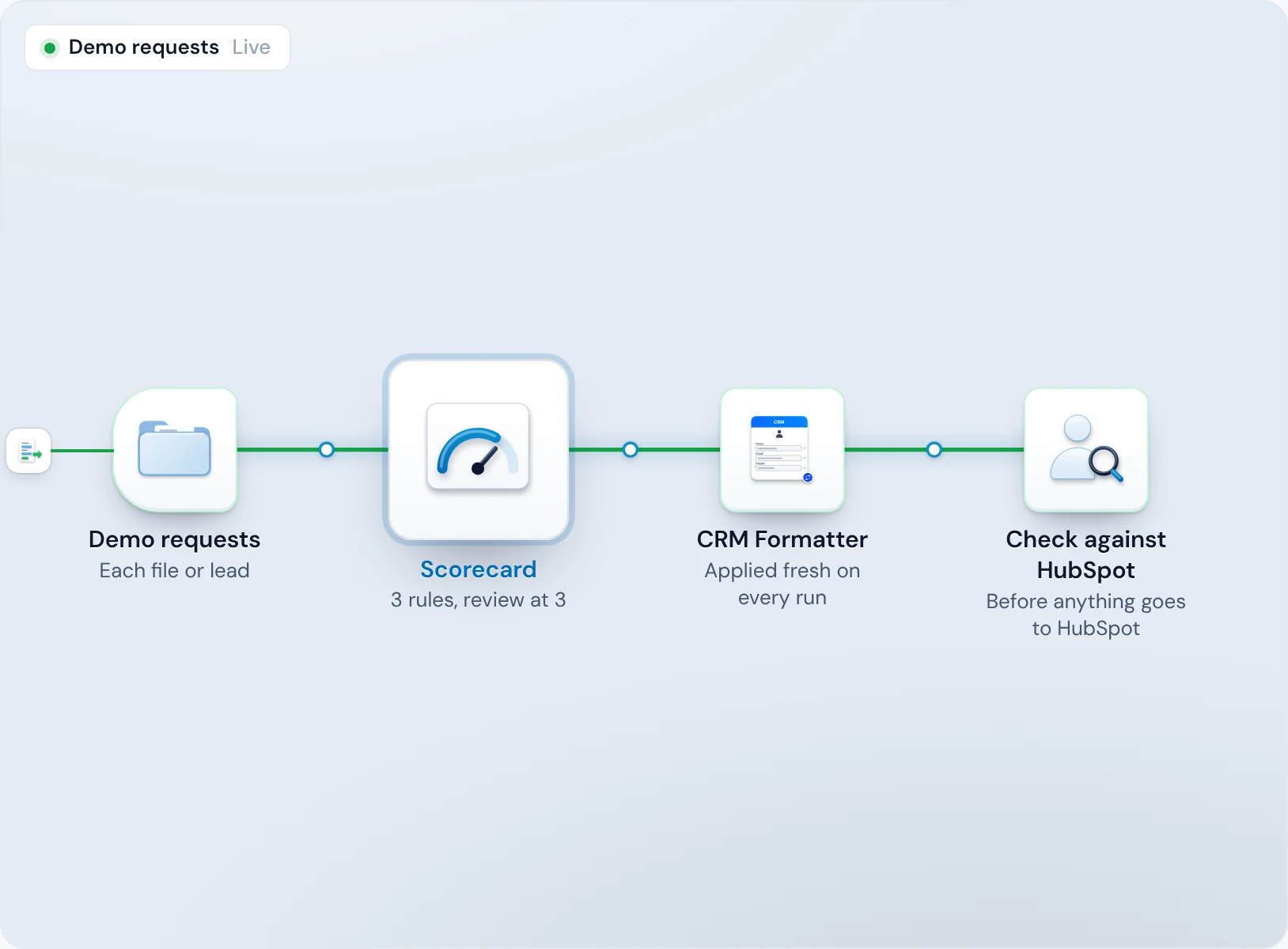
The card's rules match her title and her phone, and her work email loses no points, so she scores 5 of 5. Each rule she matched sits beside the score.
Acted on
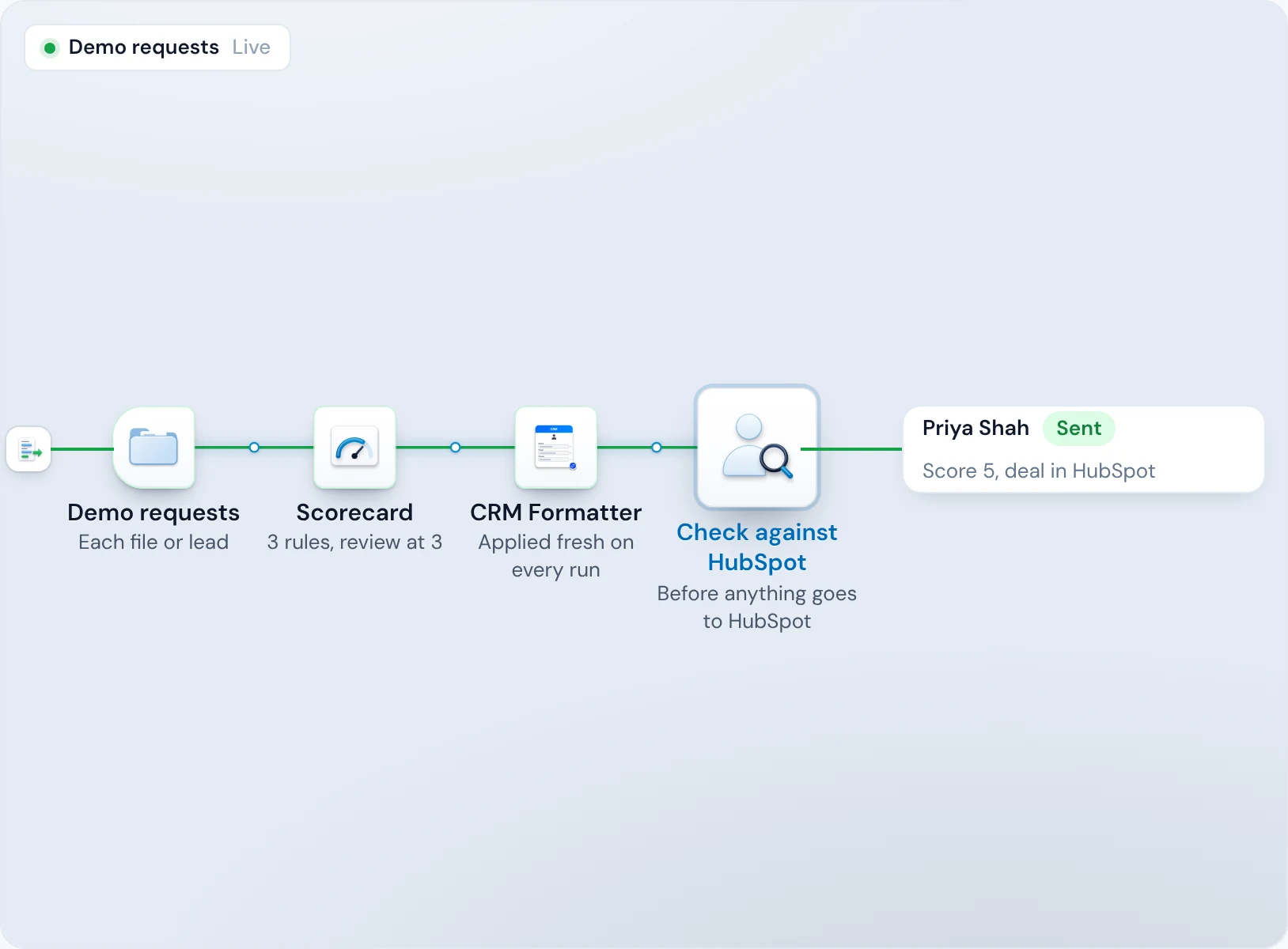
After the trail's first week, when every new lead waits for your yes, a 5 goes on. HubSpot gets her as a contact with a deal, and her lifecycle stage moves to the one you chose for a 5.
The weaker ones
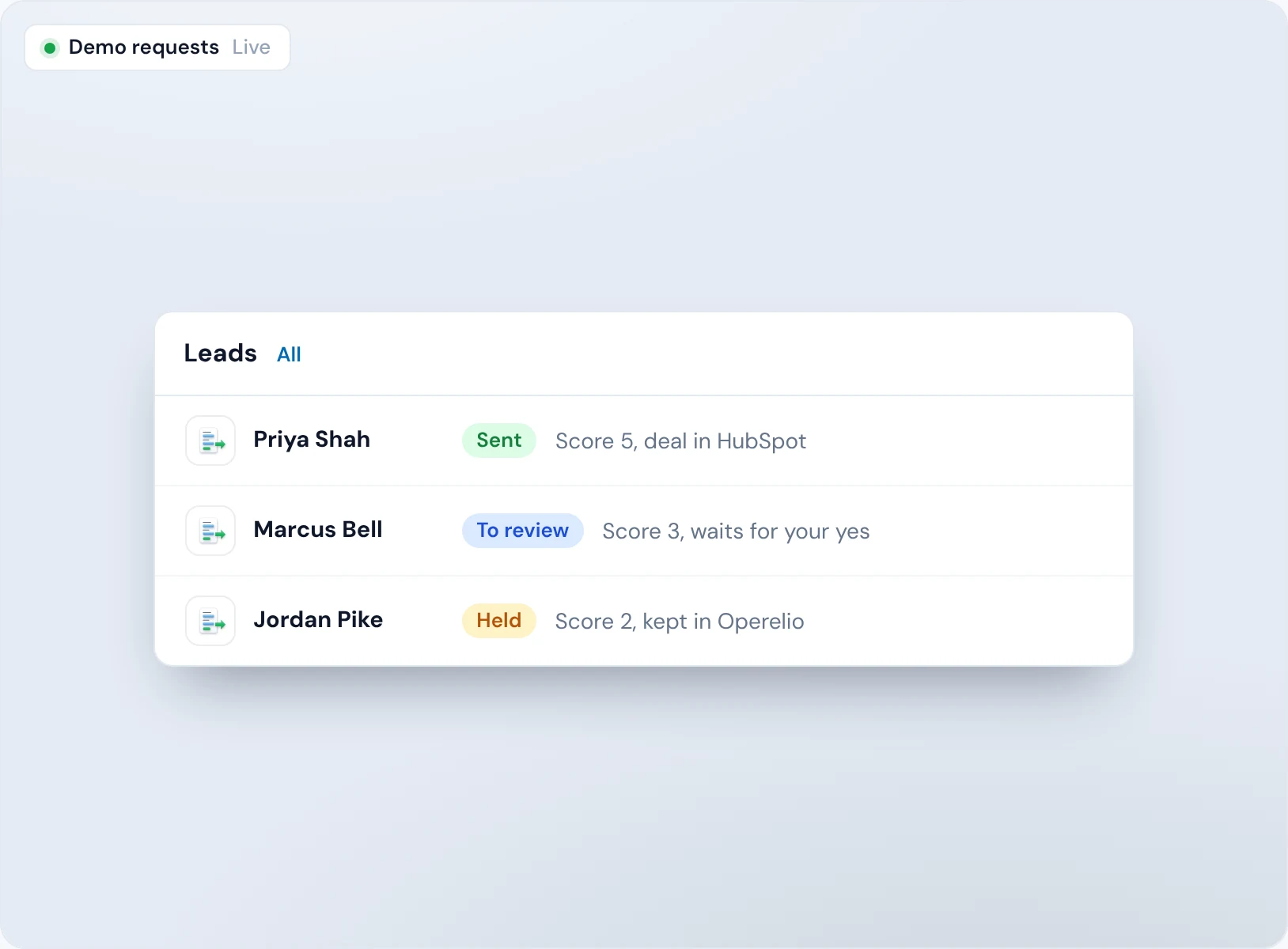
The same title and phone on a Gmail address scores 3 and waits for your yes. A lead with nothing the card wants scores 2 and stays in Operelio.
Your definition of a qualified lead, written once
When every rep judges leads their own way, the best ones wait behind the loudest.
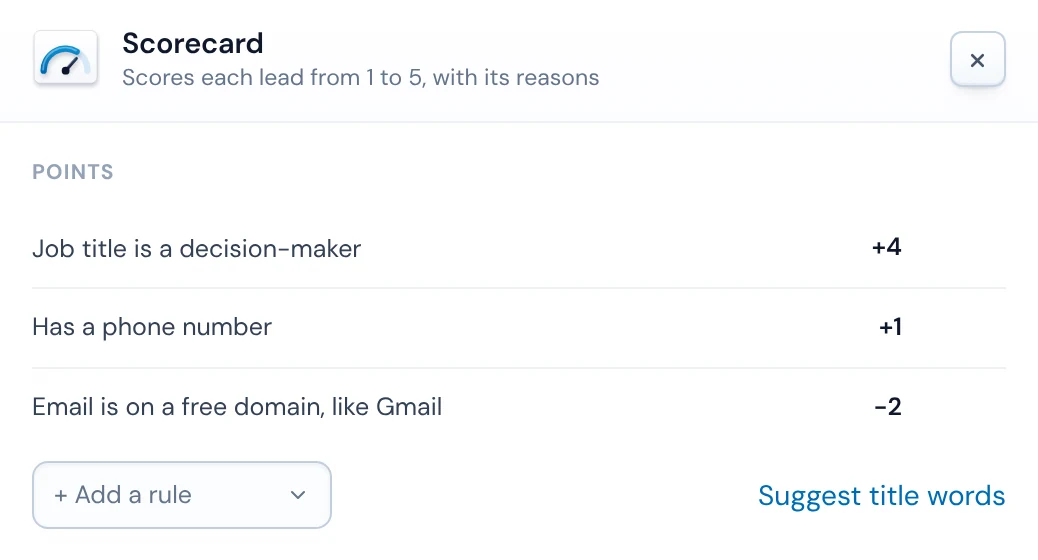
A Scorecard is a short list of rules, each worth points: job title words, a column that has a value (a phone, a company size), a verified email, or an email on a free domain like Gmail, which can take points away. A new card starts with the basics: a decision-maker's title, a phone, and points off for a free email.
Title words, suggested
Describe who you sell to and Bridgeant suggests title words from your column names and your own words, never a lead's data (Starter and up; Free gets the common title words).
Points can go both ways
A rule can add or take away points, so you can make a free email or a student title count against a lead.
Every lead scored from 1 to 5, with the rules that scored it
A score nobody can explain gets ignored.
Each lead's page shows its score, every rule it matched with that rule's points, and the total behind it. A rep can see why a lead is a 5 before calling.
Same rules for everyone
Every lead from every source is scored by the same card, so a rep's hunch doesn't decide who gets called.
Not scored is said
A trail without a Scorecard says so on each lead, so nobody reads a blank as a low score.
Each score does what you choose
Reps lose mornings to leads that were never going to buy, and a pipeline full of deals from weak leads makes the forecast fiction.
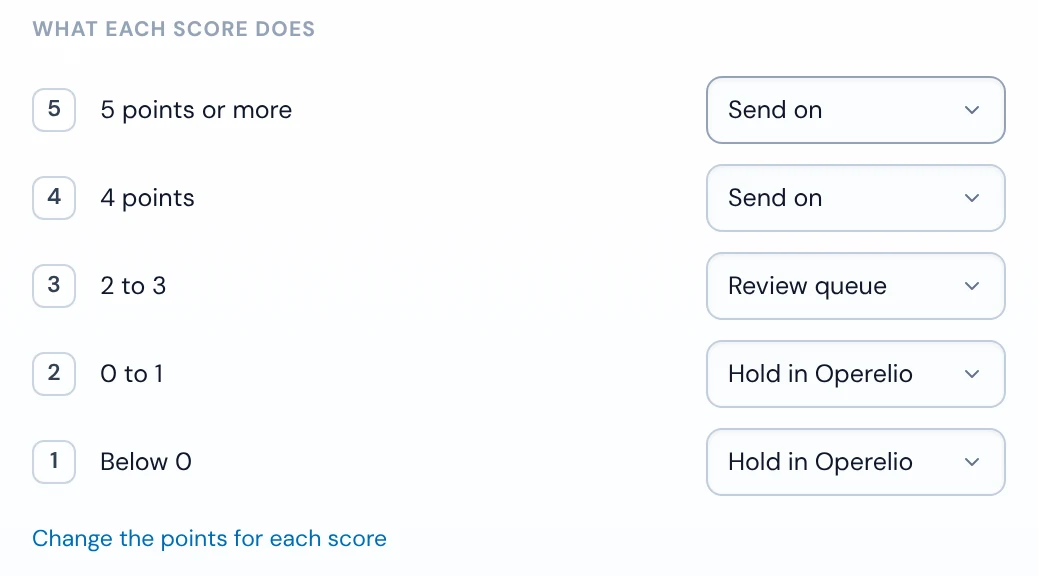
For each score you pick what happens: send it on, put it in the review queue for a yes or no, hold it in Operelio, or drop it. By default 4 and 5 go on, 3 waits for review, and 1 and 2 are held in Operelio (in a trail's first week, every new lead waits for your yes first). For leads that arrive one at a time, turn deals on and they're made only for the scores you pick, from 3 to 5 (4 and 5 unless you change it), and each score can set a HubSpot lifecycle stage, which only ever moves forward, or the Lead Status of a new Salesforce Lead.
Deals that earn their place
HubSpot gets a deal and Salesforce an opportunity only for the scores you pick, and a lead page says why one wasn't made, such as “No deal: the trail makes deals for scores 4, 5, and this lead scored 3.”
The borderline get a look
Scores you send to review wait for a person's yes or no, and a yes sends the lead on through its CRM check.
Lists held to the same standard, and the results in plain view
An event list shouldn't get a lower bar than your website form, and you can only tune rules you can see working.
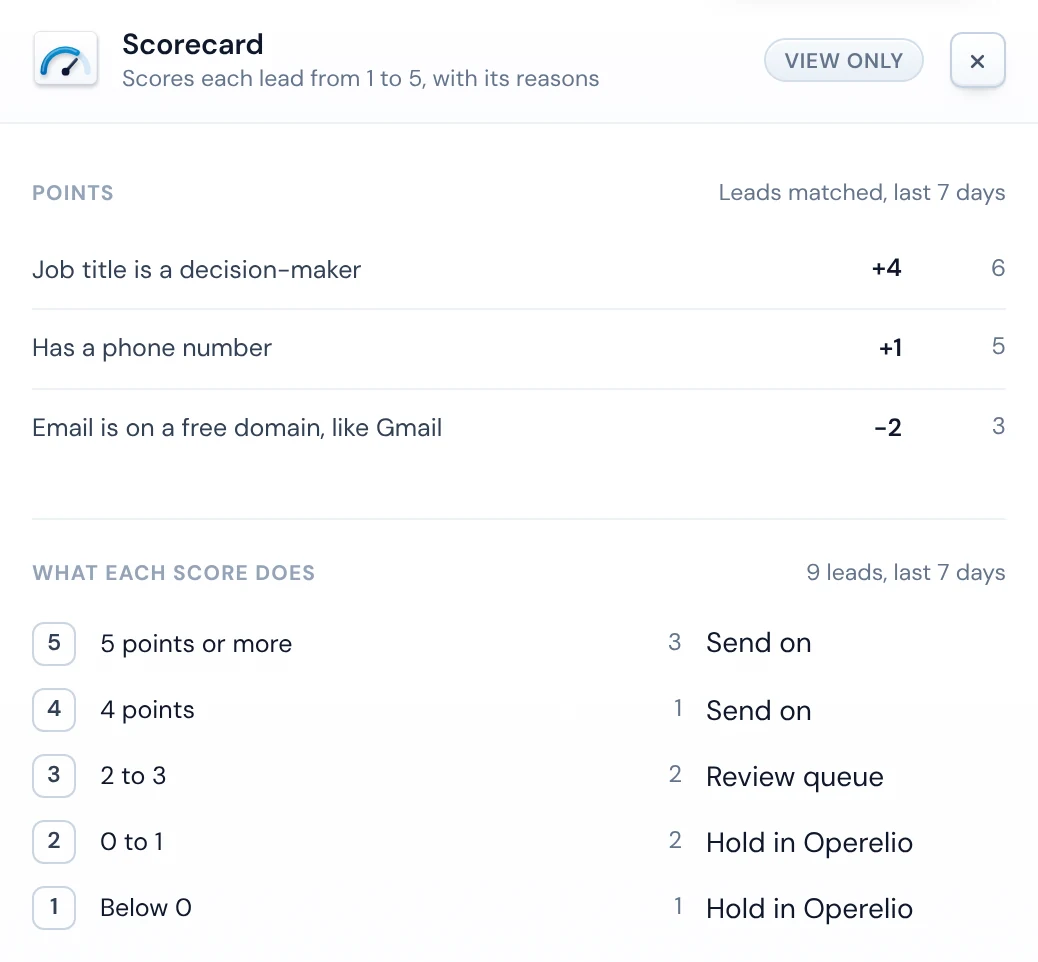
A list dropped into the folder is scored row by row with the same card, and its review rows join the same queue as single leads. The Scorecard panel shows how many leads each rule matched in the last 7 days and how many got each score, so a rule that never fires is easy to spot.
One queue
Review rows from a list wait beside single leads, with the same yes or no.
Held, not dropped
Rows a score holds or sends to review stay in Operelio with their score and reasons, in one file from the run, for your plan's retention.
HubSpot and Salesforce lead scoring

HubSpot
Scored leads go in as contacts, with a deal for the scores you pick, and each score can move their lifecycle stage forward, never back.

Salesforce
Scored leads go in as Leads, or as Contacts with an Account, and an opportunity is made for the scores you pick in Contact and Account mode. Each score can set the Lead Status of a new Lead.

Pipedrive
Lists can be pushed to Pipedrive after scoring. Single leads and deals by score aren't available in Pipedrive yet.
Lead scoring questions
What is lead scoring software?
Lead scoring software gives each new lead a score for how well it fits the customers you sell to, so reps call the best ones first. Operelio scores every new lead from 1 to 5 from rules you set, before it reaches HubSpot or Salesforce, and shows the rules behind each score.
How is lead scoring different from lead qualification?
Lead scoring ranks leads by how well they fit, and lead qualification decides what to do with each one. In Operelio you do both in one place: the score ranks each lead, and you choose what each score does, from sending it on to holding it.
What can Operelio's lead scoring rules check?
Operelio's Scorecard rules check words in the job title, whether a column has a value (such as a phone or company size), whether the email is verified, and whether it's on a free domain like Gmail. Each rule adds or takes away points.
Does the score go into HubSpot or Salesforce?
No: the 1 to 5 score stays in Operelio, and it decides what reaches HubSpot or Salesforce: which leads go in, which get a deal or opportunity, and the lifecycle stage or new Lead's status you set for each score.
Can lead scoring decide which leads get a deal?
Yes, for leads that arrive one at a time: turn deals on and pick the scores that get a deal in HubSpot or an opportunity in Salesforce, 4 and 5 by default. Scores 1 and 2 never do.
Do I have to write the rules myself?
No: a new Scorecard starts with the basics, points for a decision-maker's title and a phone number and points off for a free email, and you change them from there. On Starter and up, Bridgeant suggests title words from how you describe your buyer.
Can I try lead scoring for free?
Yes: on Operelio's Free plan you can build a trail with a Scorecard and test it on a real file. Scoring new leads as they arrive needs a live trail, which starts on Starter.
Related use cases

Test your lead scoring rules on a real file, free
Build the trail for free and test it on a real file. Switching it on starts on Starter, at $39 a month.