
Custom CRM templates
Build a custom template with your own field names, types, and required flags when your CRM is not in the built-in list or the record shape is non-standard.
By Operelio team · Updated October 20, 2026
On this page4
When to build a custom template
Use a custom template when your CRM is not one of the eight built-in providers, when you need a record type the built-in template does not cover, or when you want to produce a CSV for a tool other than a CRM (an enrichment service, a data warehouse, a downstream script).
A custom template is a list of fields you define. Each field has a key (the output column name), a label, a type, and optional flags for required and validation.
Field types
Seven types are supported: Text, Email, Phone, Number, Date, URL, and Yes / No. Email and phone get automatic cleanup (emails lowercased and trimmed; phone numbers reduced to digits with any leading + kept, a 00 prefix turned into + and a trailing extension dropped). Text, Number, Date, URL, and Yes / No pass through to your CRM as they are, apart from cleanup: spaces are trimmed, a field keyed as a name (first_name, full_name) is capitalized, and a field keyed as a country is normalized when that option is on. If you need date parsing or URL validation, do it before upload.
A required field you have not mapped stops you continuing until you map it. A required value left blank in a row, an email without an @ sign or a phone with no digits stays as it is in the file, so check those columns before an import. On a push, the rows your CRM won't take are counted before anything is sent.
Building a template
On the Format step, click Use my own format, under To. On the Map step, click Add field and give each field a name, a type, and Required if it must be filled, or click Auto-generate fields to start from your columns. Reorder fields with the up and down arrows, and remove a field with its x button. Name the template under Save this template and click Save template. Next time it is under To on the Format step and in the Load template menu.
Custom templates are stored on your account, so you can reuse them across different source files. Starter supports 5 custom templates; Pro supports 25; Agency supports 75.
When you reach the cap (5 templates on Starter, 25 on Pro, 75 on Agency), the count beside Use my own format (5 of 5 custom templates, for example) turns amber, and Build in CRM Formatter on Home's Templates and mappings tab tells you what the next plan holds. Delete a template first to free a slot.
Rename or delete a template in the Custom templates view of Home's Templates and mappings tab. To change its fields, press Use, edit them on the Map step, and click Update template. Editing a template doesn't change historical jobs that used the old version: those keep their original field set.
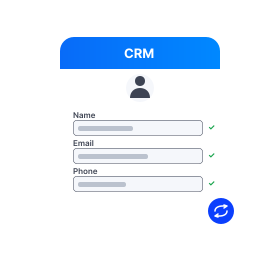
Build a template with your own field names and types when your CRM is not built in.
Frequently asked questions
Can I push a custom template to a CRM?
Direct CRM push is only supported for the three built-in providers with OAuth (HubSpot, Salesforce, Pipedrive). Custom templates export a CRM-ready CSV you can import into any tool yourself.
What plan do I need to build custom templates?
Starter ($39/month) gives you 5 custom templates. Pro ($99/month) gives you 25. Agency ($299/month) gives you 75. Free does not include custom templates.
Can I base a custom template on a built-in one?
Yes, manually. Open the built-in format you want to start from, note the fields you need, then click Use my own format and recreate them with your own types and required flags. A one-click duplicate is on the roadmap.
Ready to get started?
Upload a file and run your first transformation. Free, no credit card required.